A photo booth rental runs $400 to $1,200 for a standard three-to-four-hour package, according to Bark's 2026 pricing guide. That's a decent chunk of a wedding or event budget for what amounts to a camera, a backdrop, and some props in a corner.
You don't always need one. Some events don't have the space. Some budgets can't absorb the cost. And some couples or organisers just want something different - something that feels less like a rental and more like part of the event itself.
Here are seven alternatives that range from free to a fraction of the cost, with what you actually get from each.
Quick comparison
| Alternative | Cost | What you get | Best for |
|---|---|---|---|
| Selfie station | $30-80 | Backdrop, ring light, phone on tripod | Any event on a budget |
| Disposable cameras | $5-10 per camera | Nostalgic film photos developed later | Weddings going for a vintage feel |
| Hashtag wall | $0-50 | Guests post to social media from a branded backdrop | Large events where sharing matters |
| Giant Polaroid frame | $20-40 DIY | Oversized cardboard frame for group shots | Fun, casual events |
| Instant camera station | $100-200 | Fujifilm Instax or similar, guests take + keep prints | Small weddings, intimate events |
| Video booth (QR code) | $0-20/month | Guests record video messages on their phones | Weddings, parties, corporate events |
| Video booth (tablet) | $30-50 | Tablet on a stand running a recording form | Events with a physical focal point |
1. Selfie station
The simplest swap. You need three things: a backdrop, a phone or tablet on a tripod, and a ring light. Total cost is $30-80 if you're buying the stand and light new, or close to nothing if you borrow them.
Set up a nice background (a flower wall, a curtain with fairy lights, a plain coloured fabric), put the phone at eye level, and let guests take photos with a Bluetooth remote or the self-timer.
What it does well: Low cost, easy to set up in 15 minutes, takes up minimal space.
What it doesn't do: No prints on the spot unless you add a portable printer ($50-100 extra). And you'll need to collect photos from the phone afterwards, which means someone has to manage the device.
2. Disposable cameras
Place disposable cameras on each table or at a central station. Guests grab one, snap photos throughout the event, and drop it in a basket at the end of the night. You develop the film after the event and get a mix of candid shots, silly poses, and blurry dance floor moments.
What it does well: Zero setup required. Guests love the novelty and nostalgia. The imperfect quality (grainy, slightly off-colour, occasionally out of focus) is part of the charm.
What it doesn't do: You don't see the photos until days or weeks later when the film is developed. Development costs add up - about $15-20 per camera. And you'll lose some shots to poor exposure or guests who forget to use the flash.
3. Hashtag photo wall
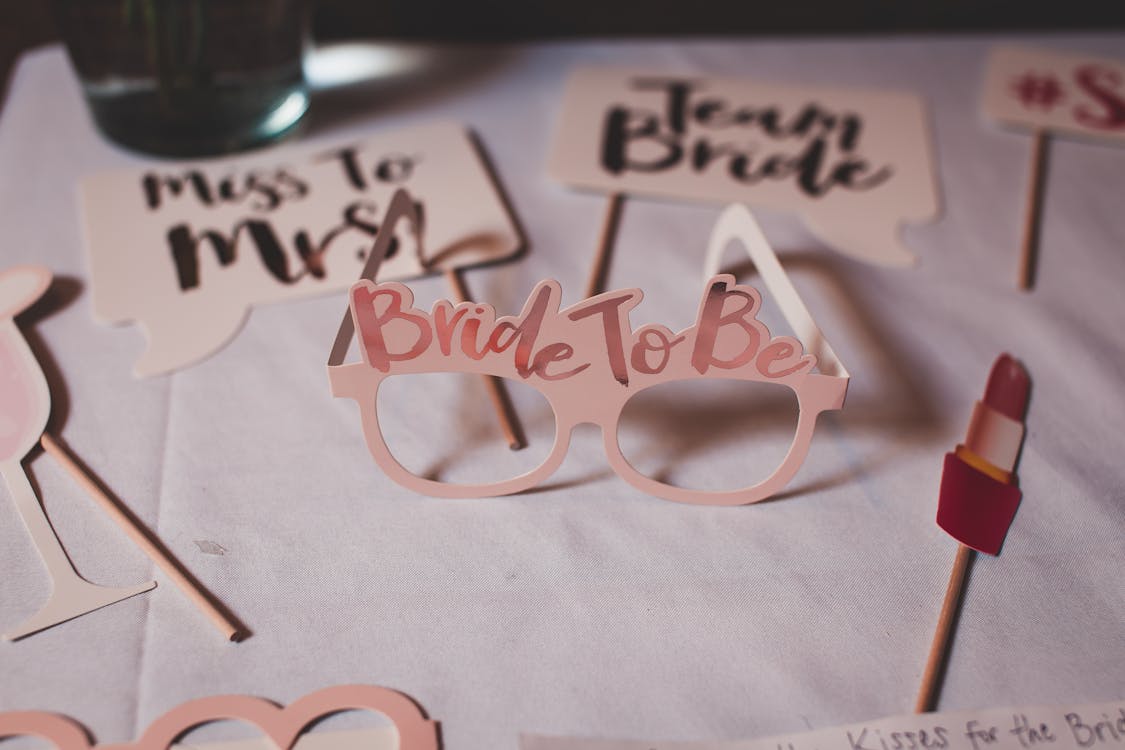
Set up a backdrop with a sign that says "Share your photos with #YourHashtag" and let guests use their own phones. No hardware, no app, no setup beyond the sign itself.
What it does well: Scales to any number of guests. Everyone already has a camera in their pocket. Photos get shared in real time on social media, so the couple (or organiser) can see them live. Works at events of any size.
What it doesn't do: You're dependent on guests actually using the hashtag. Some won't. Others will misspell it. And you don't own the photos - they live on Instagram or TikTok, which means you're at the mercy of platform algorithms for finding them later.
Print the hashtag on table tents or on the back of place cards. Have the MC announce it once. The more visible it is, the more people use it.
4. Giant Polaroid frame
Build or buy an oversized cardboard frame that looks like a Polaroid photo. Guests hold it up, someone takes a photo with their phone, and you've got an instant keepsake. You can customise the frame with the couple's names, the event date, or a funny caption.
What it does well: Great conversation starter. Works as both a photo prop and a visual centrepiece. Cheap to DIY from foam board or cardboard ($20-40 in materials).
What it doesn't do: Requires someone to take the photos (or a phone on a timer). The novelty wears off faster than a photo booth because there's no variety - every photo is the same frame.

5. Instant camera station
A step up from disposable cameras. Set out a Fujifilm Instax or similar instant camera with enough film packs for the event. Guests take a photo, the print develops in 60 seconds, and they either keep it or leave it in a guest book.
What it does well: Real, physical prints that guests can take home. Higher quality than disposable cameras. The instant gratification of watching the print develop is genuinely fun.
What it doesn't do: Film is expensive - about $0.75-1.00 per shot. A 150-person wedding could burn through $150-300 in film. And guests unfamiliar with instant cameras waste shots on badly framed or overexposed photos.
6. Video booth with a QR code
This is the zero-hardware option. Create a form with a video recording prompt, generate a QR code, and print it on signs around the venue. Guests scan with their phone, record a message, and submit. No app download, no queue, no attendant.
Twenty guests can record at the same time, from their seats, from the bar, from the dance floor. You get video messages instead of (or in addition to) photos - which captures tone, emotion, and personality in a way that a still image can't.
What it does well: Costs nothing (or a few dollars a month for the form tool). No hardware to set up or return. Unlimited concurrent recordings since everyone uses their own phone. The videos become a video guest book you can rewatch on anniversaries.
What it doesn't do: No physical focal point at the event. Guests need to notice the QR code and feel motivated to scan it - which means good signage and at least one MC announcement. Without prompting, some guests will miss it entirely.
For a full breakdown of this approach, including setup tips and prompt ideas, see our guide to video booths for weddings.
The hybrid approach works best at weddings: set up a tablet on a stand as the main recording station, and print QR codes on table cards as a backup. Guests who notice the station walk up. Everyone else can scan from their seat whenever they're ready.
7. Video booth with a tablet
A middle ground between a full rental and the QR code approach. Mount a tablet (iPad or Android) on a stand, add a ring light, and load a form with a recording prompt. Guests walk up, tap record, and leave a message.
What it does well: Gives you the physical focal point that a QR code doesn't - a station guests can see and walk up to. Better lighting than phone recordings (if you add a ring light). And you control the prompt and recording length.
What it doesn't do: Creates a queue at busy events. One person records at a time, so at a 200-person wedding, not everyone will get a turn. The tablet needs to stay charged and someone needs to check on it periodically.
Cost: $30-50 for the stand, plus a ring light if you want better video quality. If you already own a tablet, the hardware cost is close to zero.
How to choose
The right alternative depends on three things: your budget, your event size, and what you want to keep afterwards.
If you want physical keepsakes: Instant camera station or disposable cameras. Guests leave with something in their hand.
If you want digital content for social media: Hashtag wall or video messages. Everything is already on a phone, ready to share.
If you want a meaningful keepsake for later: Video messages win. A digital guest book full of 30-second video clips from friends and family is something you'll rewatch for years. A strip of four photo booth pictures goes in a drawer.
If budget is the priority: QR code video booth. It's free. Guests use their own phones. You get better content than most $1,000 rentals produce.
If you want a crowd pleaser with no effort: Giant Polaroid frame. Twenty dollars, five minutes of setup, guaranteed laughs.
Skip the rental
A photo booth is a known quantity - guests understand it, it produces consistent results, and someone else handles the setup. But for the $400-1,200 you'd spend on a rental, you can set up two or three of these alternatives and cover more of your event.
The best results come from combining approaches. A selfie station near the entrance for early arrivals, QR code table cards for video messages during dinner, and a hashtag wall for the dance floor. Three touchpoints, three types of content, and a total cost under $100.
Clipform lets guests record video messages directly in a form - no app, no login, no file upload. Set up a form with a prompt ("Leave a message for the couple"), share it as a QR code or on a tablet, and every submission lands in a dashboard with the video and a transcript. It's the video guest book without the booth.