
You send a feedback form. You wait. You get a 6% response rate and a handful of one-word answers. "Good." "Fine." "OK."
That's not feedback. That's customers being polite.
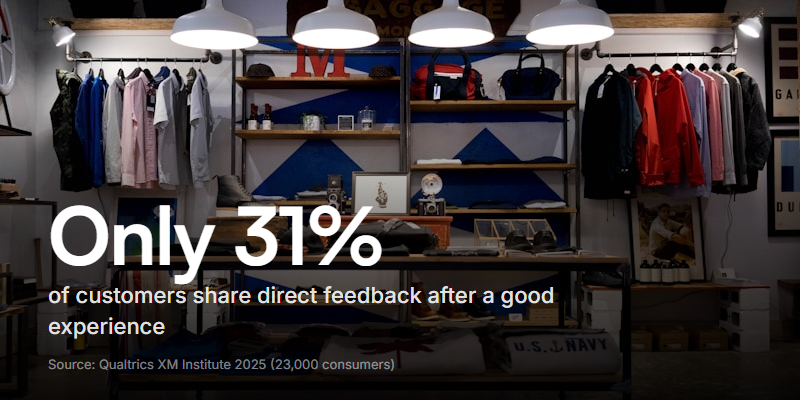
The problem isn't that people don't have opinions. It's that the form you sent them doesn't make it easy - or worthwhile - to share what they actually think. Qualtrics XM Institute's 2025 consumer study (23,000+ respondents) found that only 31% of customers share direct feedback after a good experience - down 6.5 percentage points from 2021. People are sharing less, not more. If your feedback form isn't designed to lower every possible barrier, you'll miss most of what your customers want to tell you.
Why most customer feedback forms fail
Three things kill response rates:
They're too long. Anything over 5-7 questions and completion drops sharply. A 20-question form signals "this is for you, not for me." Customers can tell when you're gathering data for a report versus actually trying to improve their experience.
They're too vague. "How would you rate your experience?" is a lazy question. Rate what? The product? The support call? The onboarding? The checkout flow? Without specificity, you get generic answers that you can't act on.
They're text-only. A text box asks someone to type out their thoughts. That's work. It also loses everything that makes feedback useful - the frustration in someone's voice, the pause before they choose their words, the enthusiasm when they describe what they love. Text captures opinions. Video captures experiences.
What a good customer feedback form looks like
The forms that get high response rates and useful answers share a few things:
Short and specific. 3-5 questions, each one targeting something you can actually change. "How was checkout?" is better than "How was your experience?" because the answer points to a specific team and a specific process.
Mixed question types. A rating scale for the quick signal, followed by one open-ended question for depth. Don't make every question open-ended (too much effort) or every question multiple-choice (too shallow).
Easy to access. One click from the email, no login required, no "you'll need to create an account first." Every extra step between the ask and the answer costs you responses.
Response format options. Some people prefer typing. Others would rather talk. Giving people the choice between text, audio, and video increases the chance they'll actually respond - especially for feedback that's hard to articulate in writing.
The goal of a customer feedback form isn't to collect data. It's to learn something you didn't know. Design every question around that standard.
Questions for every stage of the customer relationship
Post-purchase feedback
Ask within 24-48 hours while the experience is fresh.
- How easy was it to find what you were looking for? (scale 1-5)
- Was there anything that almost stopped you from buying? (open)
- What's one thing we could improve about the buying experience? (open)
The "almost stopped you" question is the most valuable one you'll ever ask. It surfaces friction that your analytics can't see - the moment of hesitation, the confusing pricing page, the missing shipping info.
Post-support feedback
Send immediately after the ticket is resolved.
- Was your issue resolved? (yes/no)
- How would you rate the support you received? (scale 1-5)
- Is there anything we could have done differently? (open)
Keep it to three questions max. The customer just spent time getting help. Respect that by not asking them to spend more time rating the help.
Onboarding feedback
Ask at the end of the first week or after the user completes setup.
- How easy was it to get started? (scale 1-5)
- Was there a point where you felt stuck or confused? (open)
- What's one thing you wish you'd known before you started? (open)
Ongoing relationship feedback
Quarterly or after key milestones (90 days, 6 months, annual renewal).
- How likely are you to recommend us to a colleague? (NPS: 0-10)
- What's the main reason for your score? (open)
- What's the single most important improvement we could make? (open)
The "single most important" framing forces prioritisation. Without it, you get wishlists. With it, you get a ranked backlog of what matters most to your customers.
Why video feedback captures what text misses
Text feedback tells you what someone thinks. Video feedback shows you how they feel about it.
When a customer records a video response instead of typing, you get:
- Tone and emotion. "The onboarding was fine" reads neutral. But if someone says it with a flat voice and a shrug, "fine" means something very different.
- Context you didn't ask for. People ramble on video. They go off-script. They mention the thing that's been bugging them for months that wouldn't fit in a text box. That's not noise - it's the most valuable signal.
- Facial expressions and body language. Confusion, excitement, frustration - these show up on camera before someone finds the words to describe them.
- Screen recordings. Some feedback tools let customers share their screen while talking. "This button confused me" is vague. A video of someone clicking the wrong button three times is actionable. When usability is what you're digging into, a focused set of user testing questions goes deeper than a feedback form can.
The tradeoff is that video takes more effort from the respondent. Not everyone will choose it. That's fine - the point is giving people the option. The customers who do record a video will give you richer, more useful feedback than any text box could capture.
With Clipform, you can build a customer feedback form that lets respondents choose their format - text for quick answers, video for the detailed stuff. No downloads, no accounts, just a link. Responses come back with auto-generated transcripts so you can search across answers without watching every recording. If you're currently running feedback through Typeform, here's how Clipform compares when the answers matter more than the click - or see the Formstack comparison if that's the tool you're moving off instead.
Analysing feedback at scale
Five responses are easy to read. Five hundred are not. Here's how to keep feedback useful as volume grows.
| Method | When to use |
|---|---|
| Tagging by theme | Tag every response (product, support, pricing, UX, onboarding). Track which themes grow over time |
| Sentiment scoring | Rate each response positive/neutral/negative. Watch for sentiment shifts after product changes |
| Video highlights | Clip the most compelling 15-second moments from video feedback. Share with the team weekly |
| Close-the-loop tracking | Track which feedback led to changes. Report back to customers when their input shaped a decision |
The most powerful thing you can do with customer feedback is close the loop. When someone takes the time to tell you what's wrong and you fix it, tell them. "You mentioned X was confusing - we redesigned it" turns a critic into an advocate.
Common mistakes to avoid
Asking for feedback and doing nothing with it. If customers see their feedback disappear into a void, they stop giving it. Worse, they lose trust in your brand.
Survey fatigue. Don't send a feedback form after every single interaction. Pick the moments that matter and protect them. One well-timed form beats five annoying ones. An always-open customer suggestion box lets people share when they actually have something to say, instead of on your schedule.
Leading questions. "How much did you enjoy our amazing new feature?" isn't a question. It's a compliment fishing for validation. Ask neutral questions and let the answers tell you the truth.
Ignoring the unhappy responses. The 1-star ratings and the angry video responses are the most valuable ones you'll get. They tell you exactly what's broken. Don't filter them out - prioritise them. If you suspect customers are softening their answers, an anonymous feedback form removes the last reason to hold back.
Only collecting, never asking for public proof. Customers who give you glowing private feedback are your best candidates for public reviews - our guide on how to ask for reviews covers turning one into the other.
Build a feedback form that people actually use
The gap between companies that understand their customers and companies that think they do almost always comes down to one thing: how easy they make it to give honest feedback.
Start simple. Three questions. One link. No login. Give people the option to type or record. Send it at the right moment - not too early, not too late, and never more than once per interaction.
Most companies aren't listening well enough. When fewer than a third of customers share feedback after a good experience - and even fewer after a bad one - the gap between what your business thinks is happening and what's actually happening grows wider every quarter. A good customer feedback form is the cheapest, most direct way to close it.