
A video questionnaire is a set of questions where respondents record their answers on camera instead of typing them. You send a link, they open it, see each question one at a time, and hit record. No live call, no scheduling, no software to install.
The format captures things text can't: tone of voice, facial expressions, hesitation, enthusiasm. A typed "the onboarding was fine" and a spoken one - with a sigh and an eye roll - carry very different amounts of information.
This guide covers when video questionnaires are worth the effort, where they work best, how to set one up, and when you should stick with text.
How video questionnaires work
The mechanics are simple:
- You create a series of questions. Text prompts work, but video prompts (you on camera asking the question) get better response rates.
- You share a link. Respondents don't need an account or a download. They click and start.
- They record their answers. One question at a time, usually with a 1-2 minute window per response.
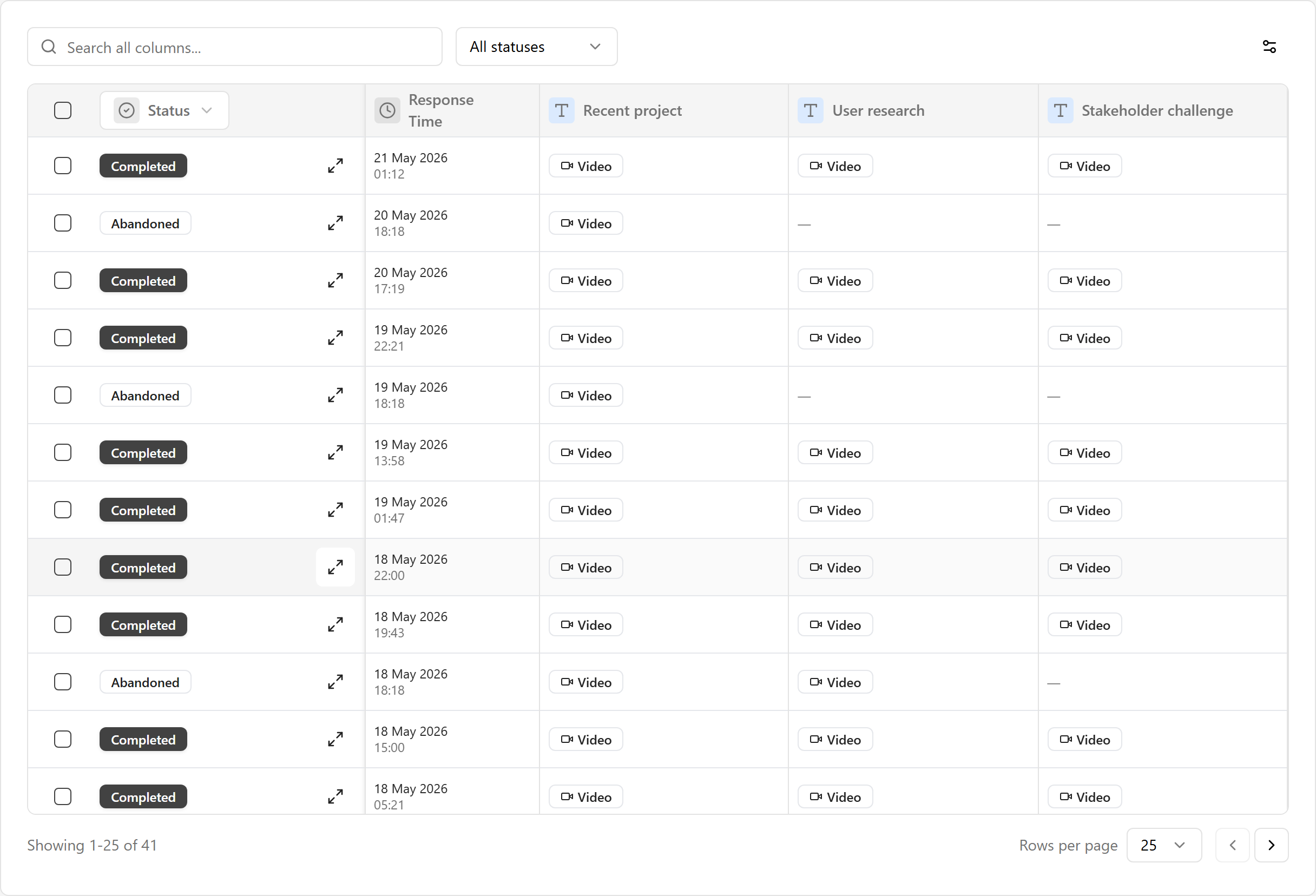
- You review on your schedule. Watch at 1x or 2x speed. Most tools auto-transcribe the responses so you can search and skim.
No scheduling. No live calls. Respondents record when it suits them, you review when it suits you. Think of it as the video equivalent of a written survey - same structure, same purpose, richer responses.
What video captures that text doesn't
Text surveys work for quantitative data. "Rate this 1 to 5" or "Which feature do you use most?" - text handles those perfectly.
But when you need to understand why someone feels a certain way, text falls short. People compress their thoughts when typing. They give safe, short answers. A rating of 3 out of 5 tells you nothing about the actual experience behind it.
Video responses are different:
- Emotional context. You hear frustration, excitement, or confusion in someone's voice. That's data a text box won't give you.
- Depth without effort. Speaking is faster than typing. People say more on camera than they'd ever write - including the details they'd normally skip because typing takes too long.
- Authenticity. It's harder to be generic on video. When someone looks at a camera and talks about their experience, you get their real reaction, not a polished, thought-about-it-for-five-minutes text response.
A 2025 study in Computers in Human Behavior Reports tested this directly. Researchers gave 321 participants the same psychological questionnaire in two formats - video and text. The results were psychometrically equivalent (same reliability, same validity), but respondents rated the video version as more enjoyable. Same data quality, better experience.
The async advantage
Most people hear "video questionnaire" and think "video call." It's not.
Video questionnaires are asynchronous. Nobody needs to be online at the same time. No calendar invites. No "can we reschedule?" emails. Respondents record at midnight in their pyjamas if they want to.
This matters because video call fatigue is real. Remote workers now spend hours every day in video meetings. The last thing anyone wants is another Zoom call. An async video questionnaire sidesteps this entirely - you still get the richness of video without adding another meeting to anyone's calendar. It's the same async model that tools like VideoAsk built their name on.
For the person reviewing responses, the time savings compound. Instead of running ten separate 30-minute calls, you review ten 2-minute recordings. Skip, rewind, watch at 2x speed. A week's worth of interviews in an afternoon.
Where video questionnaires work best
Not every survey needs video. Here's where the format adds real value.
Customer feedback and research
When you're trying to understand how people actually feel about your product - not just what they'd tick on a scale. A customer talking through a frustrating experience on camera gives you details and emotional context that a text response never would.
Concept testing works well too. Show respondents a prototype or a design, then let them react on camera. Their facial expressions and tone tell you as much as their words.
Hiring and recruitment
Video questionnaires are already common in hiring, usually called async video interviews. Candidates record answers to screening questions, and hiring teams review them instead of running dozens of phone screens.
The format works because it tests exactly what you're screening for: communication, presence, and whether someone can think on their feet.
Testimonials and case studies
Getting customers to record video testimonials is notoriously difficult when it involves scheduling a call and a camera crew. A video questionnaire removes most of that friction. Send a link with three prompts ("What problem were you solving?", "What changed?", "What would you tell someone considering it?"), and they record in their own time.
Employee engagement
Employee engagement surveys often produce thin, safe responses - especially on sensitive topics like management feedback. Switching even a few questions from multiple choice to open-ended video changes the quality of what you hear back. People say things on camera they wouldn't bother typing.
Onboarding and training
New hires recording an intro video. Team members answering check-in questions. Trainees demonstrating what they've learned. Video questionnaires work anywhere you'd benefit from seeing and hearing the person, not just reading their words.
Client and creative intake
Agencies and freelancers use video questionnaires to gather a brief before a project starts. Brand personality and visual taste are notoriously hard to put into words, so letting a client talk through the brands they love tells you more than any text box. It's the format behind a good branding questionnaire or website design questionnaire.
When to stick with text
Video isn't always the right call:
- You need quantitative data. "How many times did you use this feature last week?" doesn't need a video answer.
- Anonymity matters. You can't be anonymous on camera. For sensitive surveys (employee complaints, whistleblowing, exit interviews at small companies), text or voice-only is better.
- Scale is the priority. Surveying 10,000 customers? Video responses would take months to review. Text with optional video is a reasonable middle ground.
- The questions are simple. Yes/no, multiple choice, NPS scores - don't add friction where text does the job perfectly well.
A practical middle ground: run most of your survey as standard questions, then add one or two open-ended video questions at the end for the topics that need depth. You get the quantitative data you need plus a handful of rich, qualitative responses.
How to create a video questionnaire
1. Start with what you need to learn
What decisions will this data inform? What do you need that you can't get from existing data?
If the answer is "I need people to explain their experience in their own words," video adds value. If the answer is "I need to measure satisfaction on a scale," a text survey is fine.
2. Write your questions
Keep them open-ended and specific. "How was your experience?" is too vague. "What was the hardest part of getting started?" gives people something concrete to talk about.
| Good video questions | Why they work |
|---|---|
| "Walk me through how you use this on a typical day." | Gets specific workflow details |
| "What almost made you stop using it?" | Surfaces friction you might not know about |
| "If you had to explain this to a colleague, what would you say?" | Tests understanding in their own words |
| "What's one thing you'd change?" | Specific and actionable |
Stick to 3-6 questions. Every extra question lowers your completion rate. If you have more to ask, split them across two shorter surveys.
3. Record video prompts
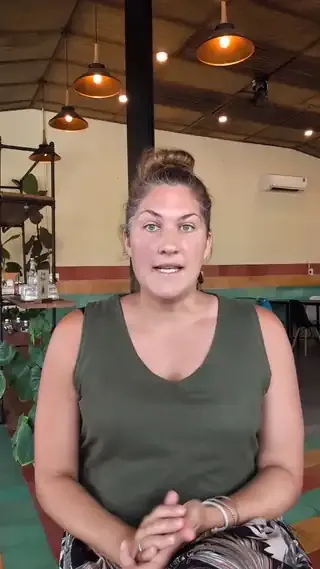
This is the single biggest lever for response rates. When respondents see your face asking a question, the whole thing feels like a conversation. When they see a text prompt, it feels like a form.
Record yourself asking each question on camera. Keep each prompt under 30 seconds. Natural, not scripted.
4. Share and collect
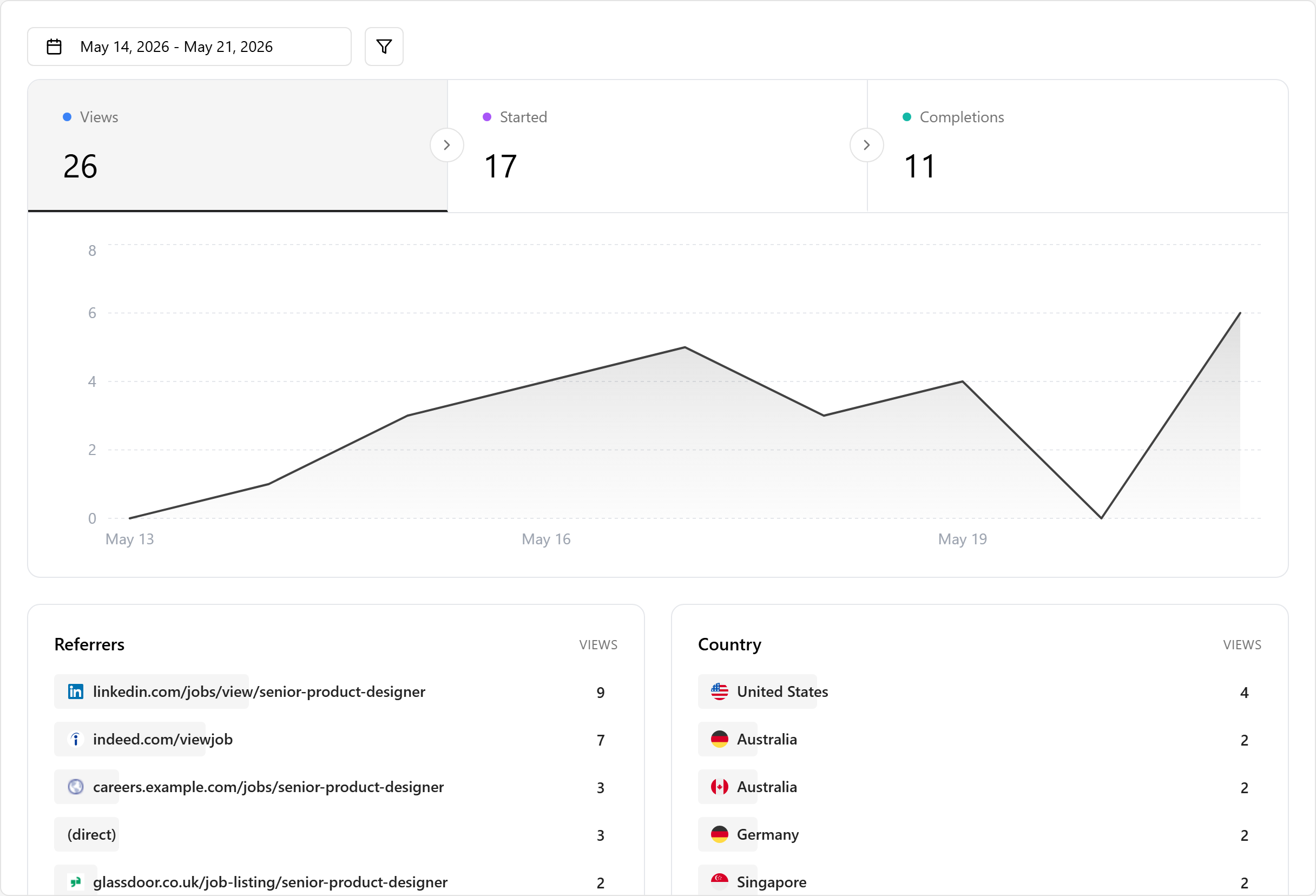
Pick your tool, build the questionnaire, and share the link. The simpler the experience for respondents - no accounts, no downloads, no scheduling - the higher your completion rate.
5. Review and act
Watch the responses (2x speed is your friend). Look for patterns, not just individual answers. If three people mention the same pain point unprompted, that's a signal worth acting on.
Auto-transcription makes this faster. Search transcripts for keywords instead of rewatching every recording.
Writing good video questions
The biggest mistake is treating video questions like text survey questions. They're not. On camera, people need something concrete to respond to.
Be specific. "Tell us about your experience" gets rambling answers. "What surprised you most in your first week?" gets a story.
Ask one thing at a time. Double-barrelled questions ("How did you find the signup process and what did you think of the dashboard?") confuse people on camera. They forget the second half.
Avoid leading questions. "How much do you love our product?" isn't a question. "What would you change about how this works?" is.
Leave room for honesty. The best insights come from questions that could go either way. "Is there anything about this that frustrated you?" gives people permission to be critical.
The difference between a good video question and a bad one is usually specificity. "How was your experience?" gets a shrug. "What almost made you quit?" gets a story.
What about AI-generated responses?
AI can generate polished text survey responses in seconds. For text-based questionnaires, this means the signal-to-noise ratio is getting worse - especially for anything customer-facing or recruitment-related.
Video questionnaires sidestep this almost entirely. Recording a genuine, natural-looking video response is much harder to fake than typing a paragraph. It's not technically impossible (AI-generated video exists), but it's uncommon effort. Most people who'd auto-generate a text response won't bother producing a fake video.
This is part of a broader shift. As AI makes text content cheaper and easier to produce, the formats that require a real person showing up - video, voice, in-person - carry more weight. A video response is proof of presence in a way that text increasingly isn't.
Tools for video questionnaires
There are a few categories depending on what you need.
Dedicated video research platforms like Voxpopme and Medallia are built for enterprise market research. They include AI-powered analysis, sentiment detection, and panel recruitment. Priced for large organisations with big research budgets.
General survey tools with video like QuestionPro let you add video questions to traditional surveys. Good if you already use these tools and want to add a few video questions without switching platforms.
Video form builders like Clipform sit in between. You build a questionnaire where each step can be a video prompt, a multiple choice question, or a text field. Respondents record in-browser - no downloads, no accounts. Responses come with automatic transcripts for easier review.
The right tool depends on your scale. Enterprise research teams surveying thousands need the analysis features that dedicated platforms provide. Smaller teams collecting feedback from dozens of people will find a video form builder simpler and cheaper - and if you're already on a traditional survey tool, see how a video-native Typeform alternative changes the response quality. We've compared the wider field in our guide to personalised video platforms.
FAQ
What's the difference between a video questionnaire and a video survey?
Same thing, different name. Both mean a structured set of questions where respondents record video answers. You'll see both terms used interchangeably.
What's a video production questionnaire?
Different concept. A video production questionnaire is a planning document used by video production companies. It asks clients about their brand, goals, target audience, timeline, and budget before starting a video project. It's a text form about making videos, not a form that collects video responses.
How long should a video questionnaire be?
3-6 questions, with 1-2 minutes per answer. Total time commitment should be under 10 minutes. Shorter is almost always better.
Do respondents need special software?
No. Modern video questionnaire tools work entirely in the browser. Respondents click a link and record using their device's camera and microphone. No downloads, no accounts.
Can respondents answer with text instead of video?
Most tools let you offer a choice: video, audio, or text. Giving people the option improves completion rates, especially for respondents who are camera-shy.
Are video questionnaire responses anonymous?
Not if they're on camera. By nature, a video response shows the person's face and voice. If anonymity is important, use text responses or audio-only instead.
Start with a small test
You don't need to overhaul your entire feedback process. Pick one use case - a customer check-in, a candidate screen, or a team retrospective - and build a short video questionnaire with 3-5 questions. Record yourself asking them, send the link, and see what comes back.
The first batch of responses will tell you whether video is giving you something text wasn't. For most teams, the answer is obvious within the first few recordings.