Adding a QR code to a business card takes about two minutes. You generate a code from your link or contact details, drop the image into your card design, and test it before you print. That's the whole mechanical process, and this guide walks through each step.
The harder question is what the code should open when someone scans it. Most cards waste that decision. They point the QR at a static contact file or a homepage, the recipient scans once, and nothing happens next.
So this guide covers both halves. The quick how-to for getting a working QR code onto your card, and the part almost every other guide skips: choosing a destination that's actually worth someone's tap.
What a QR code on a business card actually does
A business card can only hold so much. Name, title, phone, email, maybe a logo. Once it's printed, it's frozen. Change jobs or numbers and the whole stack is dead.
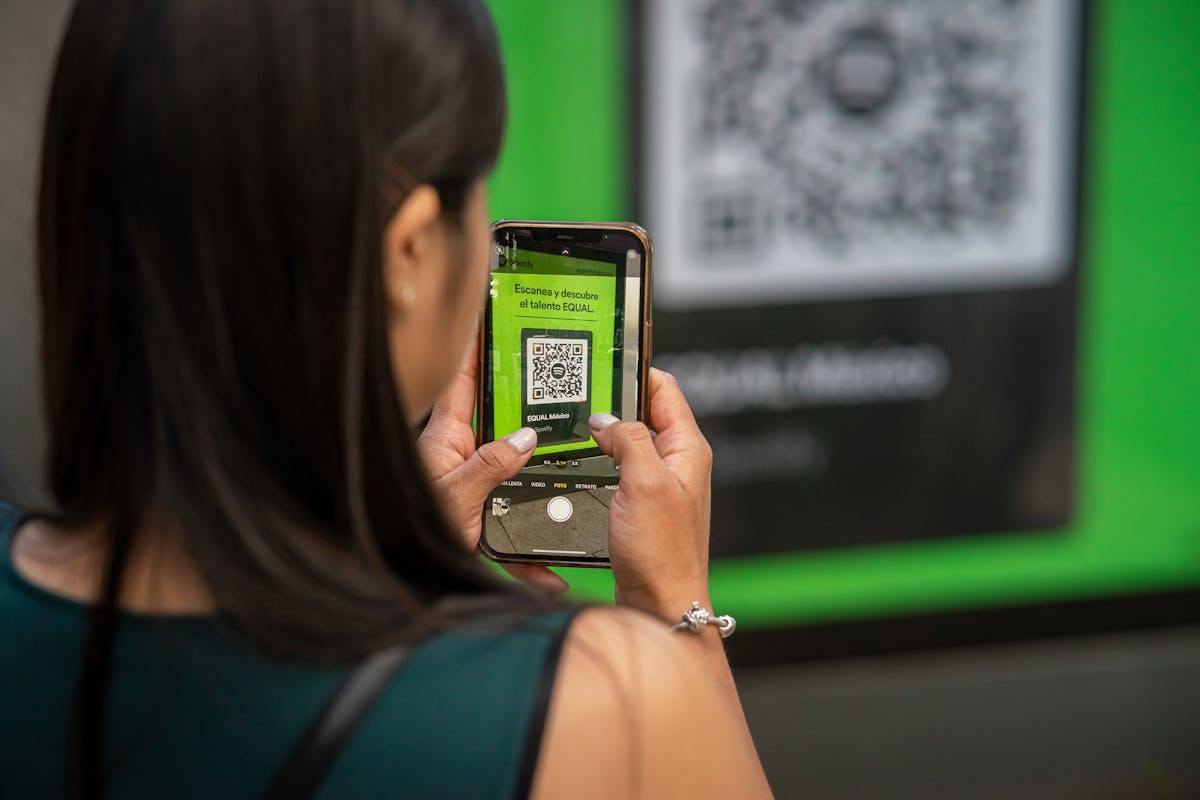
A QR code fixes that by moving the real content off the card. The printed square just points somewhere. Scan it and you land on whatever you chose: a contact file that saves straight to the phone, your website, a booking page, or a short video of you saying hello.
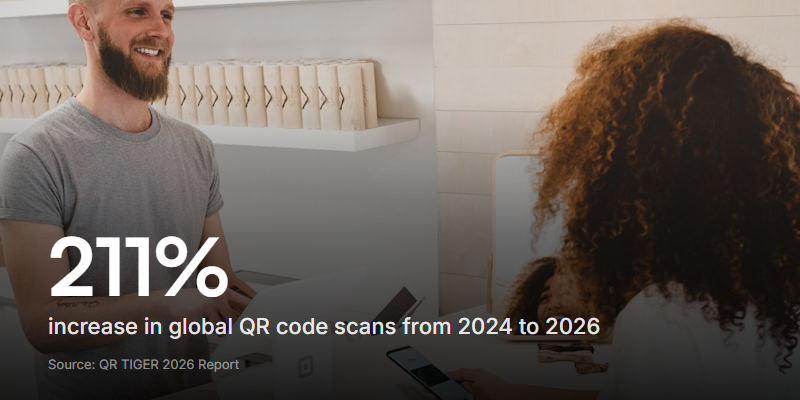
And people will scan it. QR codes stopped being a novelty years ago. According to QR TIGER's 2026 statistics report, global QR code scans jumped 211.5% between 2024 and 2026. The camera app does all the work now, so there's no app to download first.
What should your QR code point to?
This is the decision that makes or breaks the card. The QR code is just a delivery method. The destination is what the person remembers, or forgets. You've got four realistic options.
A vCard (contact file)
A vCard is a contact file format. Scan it and the phone offers to save your name, number, and email straight into contacts. One tap, done.
It's the default most generators push you toward, and it's fine for pure efficiency. But it's a dead end. The person saves your details and moves on. There's no follow-up, no first impression, nothing that makes you memorable an hour later when they've met ten other people.
A URL
Point the code at your website, LinkedIn, portfolio, or a link hub. Flexible, and better than a vCard if the page is genuinely useful.
The catch: most people land, glance, and leave. A homepage isn't built to greet one person who just scanned a card. And you learn nothing about who scanned it unless the page captures it.
A digital business card profile
Apps like Blinq and HiHello host a polished profile page: photo, links, save-to-contacts button, all in one place. A real step up from a bare vCard.
The tradeoff is another subscription, and the profile still points one direction. They read about you. You don't hear back, and you rarely find out they scanned at all.
A short video intro
Here's the option almost nobody prints on a card yet. The QR opens a 20-second clip of you talking - who you are, what you do, why it was good to meet. Then, in the same flow, it captures their details back to you.
That's the difference. Instead of handing over a file, you're handing over a moment. They see and hear a real person, which sticks far longer than a saved contact. And because the scan can ask for their name and email, the exchange finally runs both ways.
The best QR destination depends on your goal. Collecting contacts fast at a trade show? A vCard does the job. Trying to be the person someone remembers and replies to next week? A short video intro earns that far better than a static file.
Here's how the four stack up:
| vCard | URL | Digital profile | Video intro | |
|---|---|---|---|---|
| Saves your contact info | One tap | If the page has a button | Built in | Via the contact step |
| Memorable first impression | Depends on the page | Better | Sees and hears you | |
| Captures their details too | ||||
| Editable after printing | Only if dynamic | Change the page | ||
| Extra cost | Free | Free | Subscription | Free tier |
How to add a QR code to your business card
However you answer the question above, the mechanics are the same. Four steps.
Step 1: Decide what it opens
Do this first, because it changes what you generate. A vCard needs your contact details typed in. A URL or video intro needs a link ready to paste. Sort the destination before you touch a generator.
Step 2: Generate the QR code
Plenty of free tools do this without an account:
- Adobe Express - free, clean, no watermark
- QR Code Generator - supports dynamic codes on paid plans
- ME-QR - simple, exports PNG or SVG
Paste your link (or fill in your vCard fields), pick your colours if you want, and download. Grab the SVG version for print - it scales to any size without going blurry. If your platform makes the code for you, even better. Some form builders and digital card apps generate one in the share screen, so there's no separate tool at all. Jotform builds one right into the form, for instance - here's how to get a QR code from Jotform.
Step 3: Add it to your card design
Drop the code onto your card layout, usually the back or a bottom corner. Two rules matter here:
- Leave a quiet zone. That's the blank margin around the code. Scanners need it to find the edges. Don't crop into it.
- Add a call to action. A bare code gets ignored. "Scan to watch a 20-second intro" or "Scan to save my details" tells people what they'll get and roughly triples the odds they bother.
Step 4: Test before you print
This is the step people skip and regret. Before a single card goes to the printer:
- Scan it with both an iPhone and an Android phone
- Check the destination loads fast and looks right on mobile
- Test at the actual printed size, not full-screen on your monitor
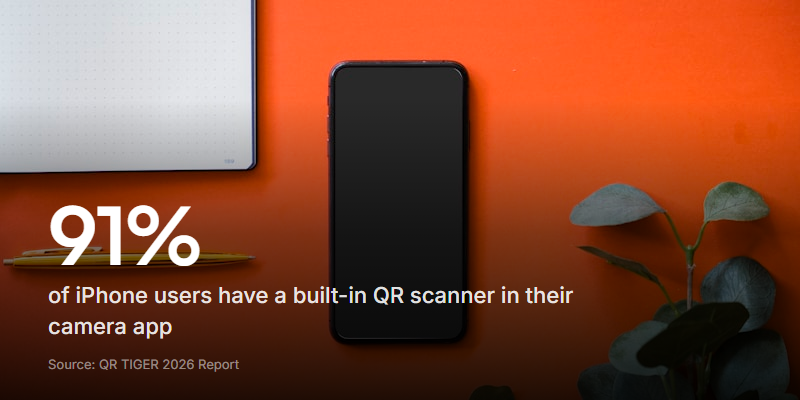
That last point catches real problems. As QR TIGER's report notes, 91% of iPhone users and 86% of Android users (on OS 9.0 or newer) can scan from the default camera. But a code shrunk to fit a card corner can still fail if it's too small or too low-contrast. Better to find that out now than after a print run of 500.
Static vs dynamic QR codes
There are two kinds of QR code, and the difference matters more for a business card than almost anywhere else.
| Static | Dynamic | |
|---|---|---|
| How it works | The destination is baked into the pattern | The pattern points to a short redirect you control |
| Change the destination later? | No, you'd reprint | Yes, without touching the printed card |
| Cost | Free | Usually a paid plan |
| Scan tracking | None | Scan counts, location, device |
For a poster you'll swap next week, static is fine. A business card is different. You print a stack, hand them out over months, and your details might change halfway through. If your number, role, or link shifts, a static code turns every remaining card into a dead link.
A dynamic code lets you repoint it without reprinting anything. For a card you'll be handing out for a year, that flexibility is usually worth the small subscription.
Sizing and design that actually scans
A QR code only works if a camera can read it. The basics:
- Size: at least 2cm x 2cm (about 0.8 inches). Below that, older cameras struggle, especially in dim light.
- Contrast: dark code on a light background. Black on white is safest. Skip photo or patterned backgrounds behind the code.
- Format: SVG or a 300 DPI PNG for print, so it stays crisp.
If you're printing across posters, table tents, and cards, the sizing rules shift with viewing distance. Our guide on creating a QR code for a form goes deeper on print sizes and error correction, and the QR code survey guide covers placement - where a code actually gets scanned versus ignored.
The video business card: a card people remember
Most QR business cards open a static vCard. It's efficient and completely forgettable. A video business card flips that: the scan opens a short clip of you, then captures the other person's details back to you in the same flow.
You can build one on Clipform without any code. The first step plays a video of you introducing yourself. The next step is a contact form that collects their name, email, and company. You can even add a step for them to record a quick hello back, so a cold card exchange turns into an actual conversation.
The share screen generates a QR code for the form - download it as a PNG and print it on your card. When someone scans it, they watch your intro and their details land in your dashboard. You get a running view of how many people opened and completed the form, broken down by country and device, and any video responses are auto-transcribed so you can skim them later. There's nothing for the other person to install.
Point the video at one clear next step. "Here's what I do, book a quick call" beats a generic hello. A card that opens with a friendly, specific ask is the one that gets a reply. For more on turning a scan into a lead, see our guide on building a lead capture form.
FAQ
Can I put a QR code on a business card for free?
Yes. Free generators like Adobe Express, ME-QR, and QR Code Generator create static QR codes with no watermark and no account. You only pay if you want a dynamic code, which lets you change the destination and track scans after printing.
What should a business card QR code link to?
The four common choices are a vCard (saves your contact details to the phone), a URL (your site or portfolio), a digital business card profile, or a short video intro that also captures the scanner's details. Match it to your goal: a vCard for speed, a video intro to be memorable and collect leads.
What's the difference between a vCard QR code and a URL QR code?
A vCard QR code stores your contact details directly, so scanning offers to save you to the phone's contacts with no web page involved. A URL QR code sends the person to a web page instead, which can be anything from your homepage to an interactive video card. The URL route is more flexible and, unlike a static vCard, can be updated later.
What size should a QR code be on a business card?
About 2cm x 2cm (0.8 inches) is the practical minimum for reliable scanning. Keep a blank quiet zone around it and use high contrast, dark on light. Always test at the actual printed size before ordering a full run.
Can I change where a QR code points after printing?
Only if it's a dynamic QR code. Static codes have the destination baked into the pattern, so changing it means reprinting. Dynamic codes use a redirect you control, so you can repoint every printed card without reprinting a thing. That's why dynamic codes suit business cards you hand out over months.
Do people actually scan business card QR codes?
They do, far more than they used to. QR scans grew 211.5% globally between 2024 and 2026, and the scanner is built into almost every modern phone camera. The trick is a clear call to action next to the code so people know what they'll get when they scan.
Make your card worth scanning
Getting a QR code onto a business card is the easy part. Generate it, add a quiet zone and a call to action, test it on two phones, and print. Ten minutes, start to finish.
The part worth thinking about is the destination. A vCard saves your details and ends there. A video intro makes you the person someone actually remembers, and hands you their contact details in return. Same little square on the card, completely different result.
If you want to try the video route, you can build a video business card on Clipform for free, generate the QR code in the share screen, and print it straight onto your card.