
An AI quiz maker turns a short prompt into a ready-to-use quiz. You type "make a 5-question quiz about our skincare range" and it drafts the questions, the answer options, and a results page in seconds. What used to be an hour of staring at a blank builder is now a first draft you tweak.
That speed is real, and it's worth using. But a quiz that gets made fast and a quiz that gets finished are two different things. Most AI quiz makers hand you a wall of text questions that look fine and convert badly. The tools that pull ahead in 2026 pair AI drafting with a format people actually want to sit through: video.
This guide covers what an AI quiz maker does, where the AI genuinely helps and where it quietly hurts, and how to build a quiz people finish rather than one they abandon on question three.
What does an AI quiz maker do?
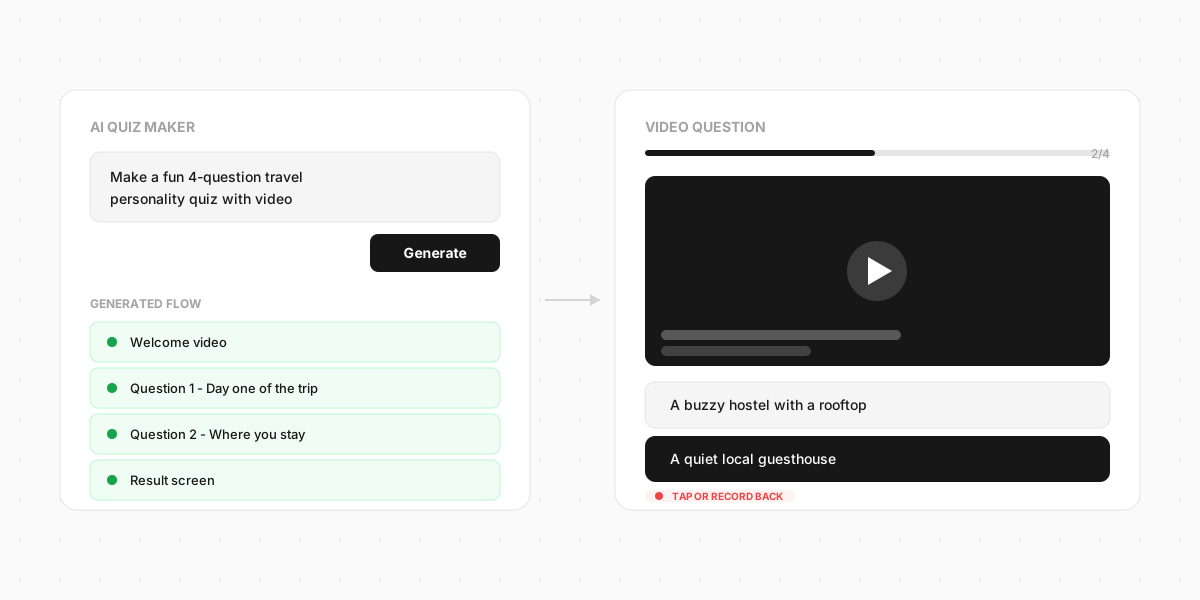
At its simplest, it drafts a quiz from a prompt or a document - the same prompt-to-quiz workflow an AI quiz generator runs on. You give it a topic, a rough number of questions, and a goal, and it returns a starting point: questions, multiple-choice options, and often a results screen.
Most tools do some mix of these:
- Prompt to quiz - describe what you want in plain English, get a draft back
- Document to quiz - upload a PDF, slide deck, or page and it pulls questions out of the content
- Rewrite and regenerate - don't like a question, ask for another
- Language and tone - switch languages or dial the tone up or down
The output is a first draft, not a finished quiz. The AI is doing the boring part - phrasing questions, spacing them out, suggesting options - so you can spend your time on the parts that matter: the hook, the honesty of the answers, and what happens at the end.
Two very different jobs called "quiz"
Search "AI quiz maker" and you'll get two camps that barely overlap. It's worth knowing which one you're in before you pick a tool, because they reward completely different things.
Study and testing quizzes. Turn notes into practice questions, quiz a class, run a training check. There's a right answer to every question, and the whole point is grading it. Tools like Quizlet and Jotform live here.
Engagement and lead quizzes. "Which of our products fits you?", "What's your [type]?", a fun quiz that ends in a recommendation or an email capture. There's no wrong answer - the quiz sorts people rather than grading them. This is where marketers and creators play.
The reason this split matters: AI is far safer on the second kind. When there's no answer key, the AI can't get the answer key wrong.
Clipform is built for the second camp - engagement and lead quizzes, not graded tests. If you need scored exams with pass or fail marks, a study-focused tool fits better. We give correct-or-wrong feedback through branching, but we don't do points-based scoring today.
Where AI helps, and where it quietly hurts
The AI in these tools is a genuinely good drafter and a genuinely risky fact-checker. Knowing the difference saves you from shipping something embarrassing.
Where it helps. Phrasing questions so they don't all sound the same. Suggesting answer options you'd have missed. Getting you off a blank page. For an engagement quiz, this is most of the work, and the AI does it well.
Where it hurts. Facts. AI models still make things up, and question generation is a place they do it a lot - a confident, wrong "correct" answer slipped into your quiz. A 2026 paper on automatic question generation puts it plainly: hallucinations "pose a significant challenge to the automatic generation of educational multiple-choice questions." If you're building a study or trivia quiz where answers must be right, read every AI-generated answer key before you publish. Don't trust it.
For an engagement quiz, this risk mostly disappears. There's no fact to get wrong in "which holiday style are you?" - so you can lean on the AI draft harder and spend your effort on making it fun.
The real problem: nobody finishes
Here's what the tool comparisons skip. The hard part of a quiz was never making it. It's getting someone to the end.
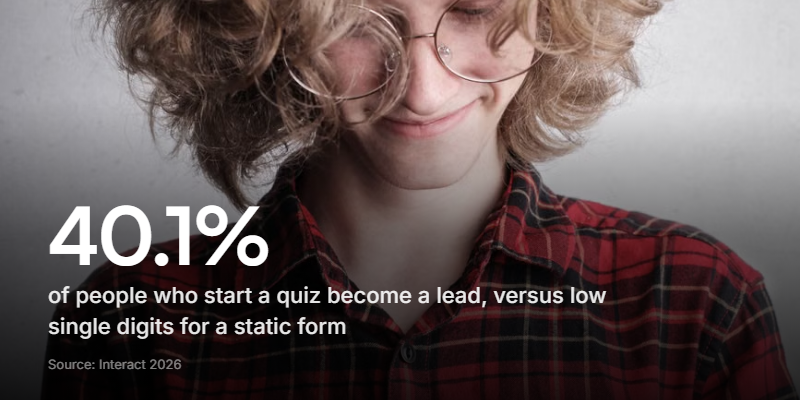
A quiz only works if people finish it, and text quizzes leak people at every question. Rows of radio buttons feel like a form, and people treat forms the way they treat homework. The Interact quiz report, drawn from over 80 million quiz leads across six industries, puts the average start-to-lead rate at 40.1% - strong, but that still means most tools are built around the six in ten who bail.
So the question isn't "which AI makes questions fastest." They all make questions fast. The question is which format keeps someone tapping through to the result. And the data has been pointing at the same answer for years.
Why video is the completion lever
People finish things that feel like a conversation and quit things that feel like a form. Video is the fastest way to make a quiz feel like the first one.
When each question is a short clip of a real person asking it - you, your founder, a coach - the quiz stops feeling like an exam and starts feeling like someone talking to you. That shift matters more than any question-generation feature, because it's what gets people to the end.
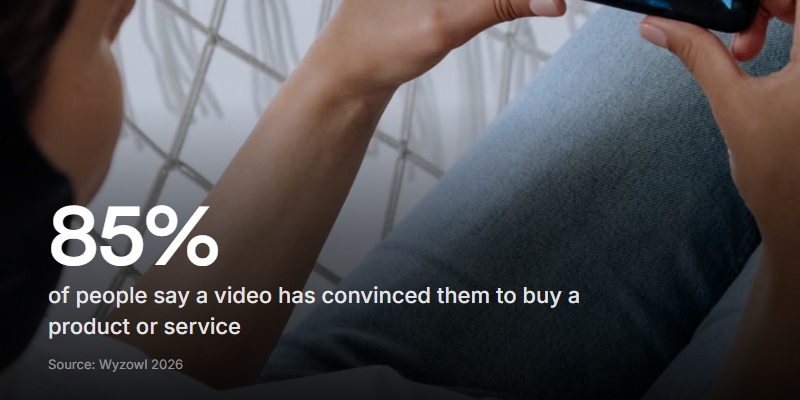
The purchase data backs it up. According to Wyzowl's 2026 video marketing report, which surveyed 266 marketers and consumers, 85% of people say a video has convinced them to buy a product or service. A quiz that recommends a product lands harder when a real face makes the case than when a results page just lists a SKU.
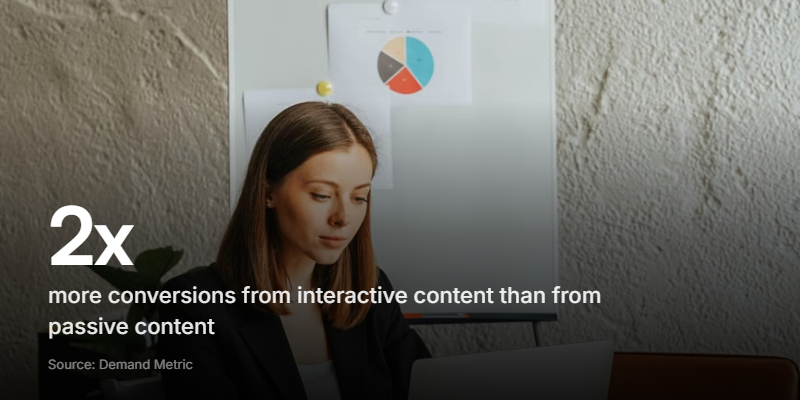
And interactivity compounds it. Demand Metric's research, based on a survey of 244 enterprise marketers, found interactive content generates roughly twice the conversions of passive content - 70% of marketers said it converts well, against 36% for static formats. A video quiz is interactive and video at once. You're stacking the two things that move people.
How to build a quiz people actually finish
Whether you draft it with AI or by hand, the same handful of moves separate a quiz that converts from one that gets abandoned.
-
Open with a payoff, not a title. "Find your perfect routine in 60 seconds" beats "Skincare Quiz." Promise the reader something they'll get at the end.
-
Keep it to 4 to 7 questions. Enough to feel personal, few enough to finish. Every question should change the result - if an answer doesn't move where someone lands, cut it. That's exactly where survey fatigue sets in and people leave.
-
Ask one question at a time. A single question on screen, the way a conversational form works, never a scrollable wall. Momentum is everything.
-
Record the questions on camera. This is the step almost nobody does, and it's the one that lifts completion most. A 10-second clip of you asking the question does more than any amount of clever copy.
-
Capture the email at the end, not the start. By the last question people are invested, which is why a lead capture ask converts far better after the quiz than before it.
-
Make the result feel personal. "Based on your answers" beats a generic grid. The whole appeal of a quiz is that it's about the person taking it.
Try a video quiz
A short engagement quiz built on Clipform, with video questions built in.
Give it a go - your answers won't be stored.
Copy this templateTry a video quiz
A short engagement quiz built on Clipform, with video questions built in.
Give it a go - your answers won't be stored.
Copy this templateUsing an AI quiz maker with video
The two ideas fit together neatly. Use the AI to draft the flow - questions, options, the shape of the result - then record the questions as short videos and let people answer by tapping or talking back.
A tool like Clipform is built for exactly this. You can generate a form from a prompt, then each question becomes a short video you record on your phone, and respondents answer by picking an option or recording a reply. It runs as a single link or an embed on your site, with nothing for the taker to install. Correct-or-wrong feedback is handled through branching - pick an option and the quiz can route you down a different path. Points-based scoring with a graded result is on our roadmap, so for now think engagement and recommendation quizzes rather than scored exams. Want to see the format before you build one? Play the guess-the-flag quiz - a finished video quiz you can guess along with and then clone as a starting point.

The workflow ends up faster than an all-text tool, not slower. AI removes the blank-page problem, video removes the completion problem, and you spend your time on the two things that actually decide whether the quiz works: the hook and the honesty of the result.
Common questions about AI quiz makers
What is an AI quiz maker? A tool that drafts a quiz from a prompt or a document - questions, answer options, and often a results page - in seconds. You edit the draft rather than starting from scratch.
Are AI-generated quizzes accurate? For engagement quizzes with no right answer, accuracy isn't a concern. For fact-based or study quizzes, treat the AI's answer key as a draft and check every question - models still invent confident, wrong answers.
Can I make a quiz with video using AI? Yes. You can draft the quiz with AI, then record each question as a short video so it feels like a conversation. Video quizzes get finished more often than text-only ones, which is what actually drives results.
What's the best AI quiz maker for lead generation? For lead and engagement quizzes, look for a tool that captures the email at the end and makes the result feel personal. Video-first tools like Clipform add the completion edge; text-first tools like Interact and involve.me are the established names.
Make one people finish
An AI quiz maker solves the easy problem: writing questions. The hard problem is getting someone to the last one, and that comes down to format, not features. A wall of radio buttons leaks people. A quiz that feels like a person asking keeps them.
If you'd rather start from a finished example than a blank prompt, browse the template library for other video quizzes you can clone and edit.
So use the AI for what it's good at - drafting the flow and phrasing the questions - and put your effort into the hook, an honest result, and questions people want to answer. If you're making an engagement or recommendation quiz, add video, because it's the single biggest lift you can give completion.
You can build a video quiz like the one above on Clipform for free and share it as a link or an embed. Start with the four or five questions that actually change your result, record them on your phone, and let people tell you who they are.