
Most forms are boring. A list of text fields. Maybe a dropdown. You fill them out on autopilot, hit submit, and forget about it five seconds later.
That's fine for collecting an email address. But when you actually need to hear from someone - their ideas, their personality, their honest reaction - a text box doesn't cut it.
That's why I built Clipform. It's a form builder where every question can include video, audio, or images. And respondents can answer the same way - on camera, by voice, or in writing. No app downloads, no accounts, just a link.
Today we're making it available to everyone.
Why forms needed to change
Think about the last time you filled out a form. Was it memorable? Probably not.
Now think about the last time someone sent you a short video message. A voice note from a friend. A quick screen recording from a colleague. You probably remember exactly what they said.
The gap between those two experiences is where Clipform sits. Text forms work for structured data - names, dates, yes/no answers. But when you need to understand how someone thinks, what they sound like, whether they'd be a good fit for your team or your programme, text falls apart.
Video and audio responses carry tone, personality, and context that text can't capture. And video questions set context in a way that a paragraph of instructions never will.
What Clipform actually does
Clipform is a visual form builder. You create forms by dragging and connecting nodes on a canvas - each node is a step in your form. It's more like designing a flow than filling in a spreadsheet.
Here's what's live today.
Question types
- Multiple choice - single or multi-select with configurable options, answer keys, and feedback indicators
- Open-ended questions - respondents answer via text, audio, or video recording, directly in the browser
- Contact forms - structured fields for name, email, phone, company, with consent checkboxes
- Buttons - simple navigation or statement steps
- Redirects - send respondents to an external URL when they finish
- End screens - customisable thank-you screens with your own messaging and CTAs
Media on every question
You can attach video, audio, or images to any question node. Record yourself asking the question. Add context with a screenshot. Set the tone with a short clip. It completely changes how respondents engage with your form.
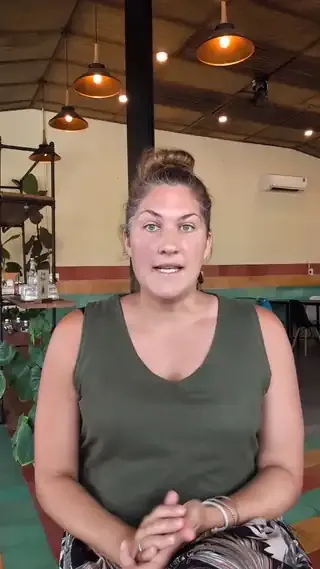
Media is what turns a standard form into a conversational experience. A 10-second video of you asking a question gets a completely different quality of response than a line of text.
Responses that go beyond text

Respondents can record video or audio answers directly in their browser. No downloads, no plugins. They click record, answer, and move on.
Every audio and video response gets automatic transcription powered by Whisper. So you get the richness of a video answer with the searchability of text.
AI form generation
Describe what you need in plain English and Clipform generates a complete form - questions, structure, and flow. It also includes AI text-to-speech to generate voiceover audio for your prompts, so your form can speak to respondents even if you don't want to record yourself.
Analytics
Every form comes with a built-in analytics dashboard: views, starts, completions, and daily time-series data. Plus demographic breakdowns by country, browser, device, and referrer source. You can see exactly where people are coming from and where they drop off.
Theming and sharing
Customise your form's colours and fonts to match your brand. Share it via a public link. On the Pro plan, you can remove Clipform branding entirely.
There's also a public REST API for building forms programmatically, which is how our AI generation works under the hood.
Who it's for
Clipform works for anyone who needs richer responses than a text form can provide. But we keep hearing from a few groups in particular.
Recruiters and hiring managers who screen dozens (or hundreds) of candidates. Instead of 30-minute phone screens, send a link. Candidates record answers on their own time. You review at 2x speed. Same questions for everyone, fairer comparison, and hours saved per role.
Creators and community builders who want to hear from their audience directly. Run Q&As, collect video testimonials, gather feedback that actually tells you something. A wall of text responses doesn't compare to hearing someone talk about your product in their own words.
Marketers collecting customer stories, running research, or qualifying leads. Video responses turn anonymous form submissions into real human moments you can learn from (and, with permission, share).
Educators and course creators who want students to explain their thinking out loud, not just pick the right answer. Open-ended video responses show understanding in a way multiple choice never will.
Journalists and researchers running structured interviews asynchronously. Set up your questions once, send the link to 50 sources, and review the recordings on your schedule.
How it's different
There are plenty of form builders out there. Here's where Clipform sits.
Traditional form builders (Google Forms, Typeform, Tally) are great at structured data collection. But they're text-first. Adding video is either impossible or an afterthought. Clipform is video-first - media is built into every layer, from questions to responses to the builder itself.
VideoAsk pioneered video forms, but it's priced for enterprise teams and locked into Typeform's ecosystem. Clipform is built to be simpler, more affordable, and usable as a standalone tool.
Survey tools (SurveyMonkey, Qualtrics) optimise for scale and statistical analysis. They're powerful for quantitative research but weak for qualitative. If you need 10,000 NPS scores, use a survey tool. If you need to hear 50 people explain their experience, Clipform is the better fit.
The short version: if you care about the quality of responses more than the quantity, and you want video and audio as a first-class option rather than a bolt-on, that's what Clipform is built for.
Try it out
Clipform is live at clipform.io. You can create your first form in a couple of minutes - no credit card required.
If you have questions, feedback, or a use case we haven't thought of, I'd genuinely love to hear about it. Reach out through the site or just reply to any email from us.
We're building this in public, and the best features so far have come from conversations with early users. Yours might be next.