
You wrap up a project, send out your feedback form and wait. A few days later the replies land: "Fine." "Good." "All good, thanks." Technically that's feedback. Practically, it tells you nothing.
A video feedback form fixes this. It's a normal form where people can answer some questions by recording a short video (or audio) instead of typing. You reach for it when you need the why behind an answer - the tone, the context, the exact moment something went wrong or finally clicked.
Keep it short: three to five questions, with video only on the one or two questions where the "why" actually lives. And always let people type or record audio instead. Below you'll find a template you can copy word for word, the questions that get real answers, and an honest look at when video is the wrong tool.
What is a video feedback form?
A video feedback form is a form where at least one question can be answered with a recorded clip instead of typed text. The person taps record, talks for 30 seconds or so, and moves on.
A typical one mixes three things:
- Quick tap questions. Multiple choice, answered with one click. They warm people up and keep things quick.
- One or two open questions answered on video, audio or text. This is where the detail comes from.
- A thank-you screen that tells people what happens next.

You'll also hear it called a video survey or a video questionnaire - same idea, different name. For the text-first version this builds on, see our guide to customer feedback forms.
When is video feedback worth it?
When depth matters more than volume. If a one-line typed answer would leave you guessing, video helps. If you just need a yes or a no, it's overkill.
| Situation | Use video? | Why |
|---|---|---|
| Client project wrap-up | You want the story behind the result, not a score | |
| Course or workshop feedback | Students can show what they made and say what stuck | |
| Post-onboarding check-in | New users can talk you through what confused them | |
| Product discovery interviews | Tone and hesitation tell you more than typed words | |
| Checkout or delivery confirmation | It's a yes-or-no moment; nobody wants to film it | |
| Quick "how did we do?" pulse | Keep it a tap question, offer video as an optional follow-up |
Now the trade-off, because there is one: asking for video can cut the number of replies you get. Recording yourself takes more nerve than tapping a button, and some people will close the tab.
That's why the fallback matters. Every video question should also accept audio or text, so camera-shy people can still answer. The value isn't the footage itself. It's what people say when typing feels like homework.
Why typed feedback is getting harder to rely on
Two things are happening at once: people are telling you less, and machines can now fake the ones who do.
On the first, Qualtrics XM Institute's 2026 Consumer Experience Trends research - 20,000 consumers across 14 countries, published in October 2025 - found direct feedback has been declining since 2021. Only 3 in 10 customers explain why they leave. And 30% don't tell anyone - they just switch brands silently.

On the second, Dartmouth reported in November 2025 that AI bots can pass as humans in online surveys. The study, by political scientist Sean Westwood and published in the Proceedings of the National Academy of Sciences, should worry anyone who runs surveys. In Westwood's words:
These aren't crude bots. They think through each question and act like real, careful people making the data look completely legitimate. We can no longer trust that survey responses are coming from real people.
Deep breath - this doesn't mean your feedback inbox is full of robots. But it does change what counts as strong evidence. A typed paragraph is cheap to generate. A 45-second clip of a real customer, face and voice included, is far harder to fake. Not impossible, granted - but the effort puts it in a different league. If you're making real decisions on feedback, recorded answers carry more weight.
A video feedback form template you can copy
Steal this video feedback template. Swap the bracketed bits for your situation and you're done.
| # | Question | Answer type | Why it's there |
|---|---|---|---|
| 1 | How did [project/course/onboarding] go? Options: Really well / It was fine / Not great | Multiple choice | One tap gets people started, and the answer drives the branch below |
| 2 | What would you tell a friend who's thinking of working with us? | Video, audio or text | Shown only to "Really well" people - answers here often read like testimonials |
| 3 | What's the one thing we should have done differently? | Video, audio or text | Shown to "It was fine" and "Not great" - this is where the lessons live |
| 4 | Show us the moment it clicked, or the moment you got stuck. | Video, audio or text (optional) | Points people at one specific moment instead of "any feedback?" |
| 5 | Thanks - here's what happens next. | Thank-you screen | Tells people when they'll hear back, so the form doesn't feel like a black hole |
The branch works like this: the option someone taps in question 1 decides which follow-up they see - that's choice-based branching. Happy people get question 2, everyone else gets question 3, and nobody sees both.
And the first question is a tap on purpose. One easy click gets people started, and people who've started tend to finish.
How to set up a video feedback form (step by step)
Give yourself about fifteen minutes and follow these steps.
- Pick one goal. One form, one job: project wrap-up, course feedback or onboarding check-in. Not all three at once.
- Open with a quick multiple-choice question. One tap and they're in, and it powers your branch (see the template above).
- Put video only where the "why" lives. Usually one or two open questions. The rest stay as taps.
- Record yourself asking each open question. A face asking out loud feels like a real conversation.
- Let people choose video, audio or text. That choice is what keeps your response rate healthy.
- Keep it to 3-5 questions. Every extra question costs you finishers.
- Say how long it takes. "4 questions, about 2 minutes" on the welcome screen stops people bailing halfway through.
- Send it at the right moment. Straight after the milestone, while the details are fresh. A form sent three weeks later gets three-week-old memories.
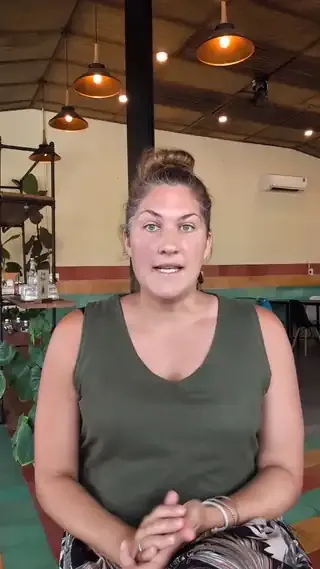
Full disclosure: this is exactly what I built Clipform to do. You can add a video or image to each question, pick which answer formats each open question allows, and set the branch from the multiple-choice options. People record in the browser on a phone or laptop - no app, no login - with a camera flip for showing something physical. Share the form as a link or embed it on your site, and answers land in your dashboard, ready to export to CSV.
Video feedback questions that get real answers
The questions that work all point at a specific moment, not a topic. Here are seven to try:
- "What almost stopped you from saying yes?" The hesitation moment is where your sales process needs work.
- "Tell us about the moment you realised it was working." Happy moments, described in the customer's own words.
- "What were you worried about before we started, and what actually happened?" Surfaces objections you can answer for the next person.
- "Show us something you made or achieved with what you bought." They can point a phone camera at it or just talk it through - proof beats praise.
- "Where did you get stuck, and what got you unstuck?" Points at one fixable moment instead of a fuzzy "it was confusing".
- "What's the one thing you'd change about how the project ran?" "One thing" forces a priority, so you get a clear answer rather than a rambling list.
- "What would you tell a friend who's on the fence about us?" You get the pitch in your customer's language, useful even if it never becomes a testimonial.
Notice none of these ask for "feedback". They ask about a moment.
What to do with video feedback once it arrives
Don't sit and watch everything. Work the transcripts first, then spend your watching time where it counts.
- Read the transcripts first, then watch the ones that matter. Clipform transcribes video and audio answers automatically, so you can skim everything in minutes.
- Tag recurring themes. If three people mention the same sticking point, that's your next fix.
- Share short clips in team meetings. A 30-second clip of a real customer lands harder than any summary slide.
- Ask permission before any clip goes public. Our guide to collecting video testimonials covers how to turn a glowing answer into something you can share, the right way.
- Close the loop. Reply to people and tell them what you changed. It's the single best way to get them to answer next time.
The habit that saves you hours: read every transcript, watch only the answers where tone changes the meaning. Ten transcripts take minutes to skim; ten videos don't.
Common video feedback form mistakes
Most failed video forms die from the same avoidable causes:
- Making video mandatory. Some people are on a train, or in their pyjamas. Always allow audio or text.
- Asking too many questions. Five is plenty. Ten feels like a chore, and every extra one gives people a reason to stop.
- Vague prompts. "Any feedback?" gets "No." Ask about a moment instead.
- Sending it weeks late. Memory fades fast. Send within a day or two of the milestone.
- Never watching the answers. If replies vanish into a void, people stop bothering.
And if people aren't opening the form at all, that's a delivery problem. Our guide on how to increase survey response rates covers timing, wording and reminders.
Five replies is all you need
Collecting feedback on video sounds like a big leap, but the format is simple: keep it short, branch on the first answer, let people choose how to reply, and point every question at a real moment.
So here's your next step. Build a short video feedback form free in Clipform, copy the template above, and send it to your last five customers or clients. Resist the urge to send it to everyone.
Five replies is enough to hear something you didn't know. And the first time a customer talks you through the exact moment things went wrong, in their own words, you'll wonder how you ever made decisions without it.