A modeling application form is the first touchpoint between your agency and potential talent. Most agencies still use basic form builders that collect headshots and measurements, then ask applicants to email a separate video or upload to YouTube. That workflow loses people.
The fix is simple: build a form that collects everything in one flow, including video introductions and walk clips, without sending applicants to another platform. This guide covers what fields your form actually needs, why video changes the quality of applications you get, and how to put one together without a developer.
What a modeling application form needs
Every modeling application form collects the same core information. But how you collect it matters as much as what you collect. Here are the sections that should be in yours.
Contact details
The basics: full name, email, phone number, and location. Add an Instagram handle field too. Social media is now a standard part of model evaluation, and most agencies check a candidate's online presence before scheduling a meeting.
Physical measurements
Height, bust/chest, waist, hips, shoe size, dress size, eye colour, and hair colour. These are non-negotiable for any modelling agency. Make height and at least one body measurement required. The rest can be optional if you don't want to scare off early-stage applicants.
Modeling type
A simple multiple-choice question: fashion/runway, commercial/lifestyle, fitness/sports, e-commerce/product, or plus-size. This helps your team route applications to the right booker and sets expectations for both sides.
Photos
At minimum, ask for a headshot and a full-body photo. Many forms also ask for a profile shot. Don't require professional photos. Clean, well-lit phone photos work fine for initial screening. Agencies like CM Models specifically say "just take your photos with your cell phone" and ask for natural, unedited shots against a simple background. They want to see the person, not the photographer's work.
Experience and bio
A short text field for previous work: agencies they've been with, campaigns, runway shows, or "none yet" for new talent. Keep this optional. New models shouldn't feel like they need a resume to apply.
Why your form needs video (and most don't have it)
Here's the gap in most modeling application forms right now.
Every major form builder template for model applications (Jotform, Typeform, Formplus, forms.app) collects photos and text. None of them have built-in video recording. The best they offer is a file upload field where applicants can attach a video they've already recorded somewhere else.
That's a problem for two reasons.
First, file uploads kill completion rates. Asking someone to record a video on their phone, find the file, then upload it through a form is a multi-step process that loses people at every stage. The video is too large. The upload times out. They close the tab and never come back.
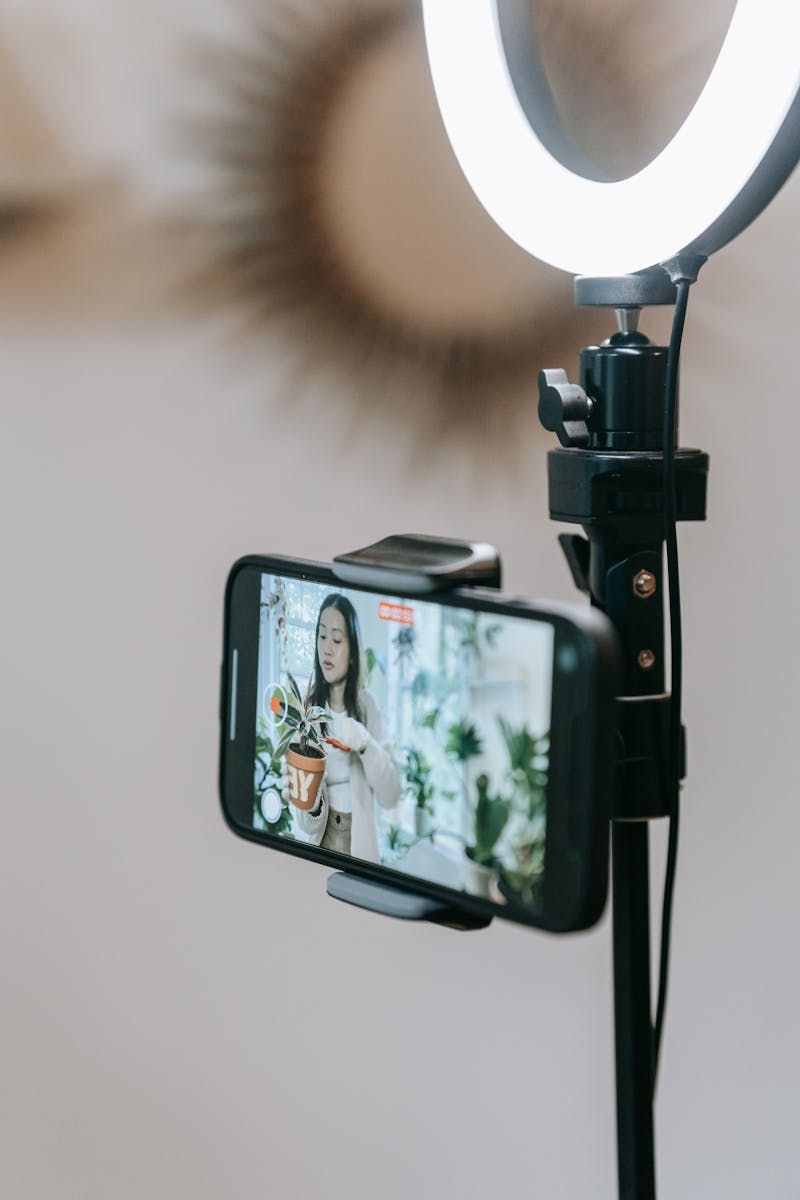
Second, you're missing the most useful information. A headshot tells you what someone looks like standing still. A 60-second video introduction tells you how they move, how they speak, how they carry themselves on camera. A walk video shows their posture, their confidence, their natural rhythm. These are things you can't evaluate from a photo, and they're exactly what bookers need to see before deciding whether to bring someone in. It's the same reason a brand ambassador application leans on a short video intro: how someone comes across on camera is the part a photo or a text field can never show.
The agencies that are getting the best applications right now are the ones that let applicants record video directly in the form. No separate uploads, no links to YouTube, no "email us your demo reel." Just a prompt, a record button, and a submission.
Try a model application form
A modeling agency application built on Clipform, with video recording built in.
Give it a go - your answers won't be stored.
Try a model application form
A modeling agency application built on Clipform, with video recording built in.
Give it a go - your answers won't be stored.
What video submissions should you ask for?
Don't overwhelm applicants with ten video prompts. Two or three is the sweet spot.
- A 60-second introduction. "Tell us your name, a bit about yourself, and why you want to model with us." This is the single most valuable piece. It shows personality, communication style, and on-camera comfort.
- A walk video. "Walk towards the camera, turn, and walk back. Natural pace." For fashion and runway applicants, this is make-or-break. For commercial models, it's still useful but less critical.
- A demo reel or portfolio clip (optional). For experienced models who already have footage, give them a field to upload it. For new models, skip this one.
The key is to make video recording frictionless. If the form opens a camera within the browser and lets them record, review, and submit in one flow, most people will do it. If you ask them to record separately and upload a file, most people won't.
Building your form: what to get right
A few practical things that matter more than they seem.
Mobile-first. Most aspiring models are applying from their phones. If your form doesn't work well on mobile (tiny input fields, broken file uploads, a layout that requires pinching to zoom), you'll lose a big chunk of applicants before they finish.
Keep it short. The entire application should take three to five minutes. If you're asking for more than that on a first-touch form, you're screening out good candidates who don't have the patience for a 20-field questionnaire. You can collect detailed information later, once you've decided to move forward.
Don't require everything. Make the essentials required (name, email, height, at least one photo) and leave the rest optional. A half-completed application from a strong candidate is more valuable than no application at all.
Confirm the submission. End with a clear confirmation screen that tells applicants what happens next and when to expect a response. "We'll review your application and get back to you within 5 working days" is better than a generic "Thanks for submitting."
Privacy and consent. You're collecting personal data, photos, and video recordings. Include a consent checkbox explaining how the data will be used and stored. This isn't optional in most jurisdictions.
Common mistakes agencies make
- Requiring professional photos. This filters out promising new talent who haven't done a shoot yet. Agencies like CM Models explicitly accept phone photos for a reason.
- Email-based applications. "Send your portfolio to casting@agency.com" creates an unstructured mess. Every submission looks different, attachments get lost, and there's no way to compare applicants side by side.
- No video option. In a world where Zoom calls replaced in-person castings for first rounds, not collecting video on the application form means you're scheduling unnecessary meetings.
- Forms that don't work on phones. If you test your form only on desktop, you're testing it on the wrong device.
- No response timeline. Applicants who don't hear anything assume they've been rejected. Setting an expectation (even "up to 4 weeks") reduces follow-up emails and keeps the candidate experience professional.
Put your application form together
If you're setting up a modeling application form from scratch, the process is straightforward.
- Pick a form builder that supports video recording. Not file uploads - in-browser recording. This is the single biggest factor in whether applicants actually submit video.
- Set up your fields: contact details, measurements, modeling type, photos, and one or two video prompts.
- Test on mobile. Open the form on your phone and go through the entire flow as if you were an applicant. Is it easy? Does the video recording work? Does the submission confirm?
- Share the link. Put it on your website, in your social bios, and in your DMs when scouting. One link, one form, every applicant in the same format.
Clipform is built for exactly this. It lets applicants record video directly in the form (no uploads, no external links), handles contact details and measurements, and gives your team every submission in one dashboard with auto-transcribed video responses. If you're collecting modeling applications with video, it's worth a look.