
You sent the survey. A handful of people answered. Now you're staring at a 9% response rate and wondering what you did wrong.
Here's the short version of how to increase a survey response rate: keep it short, ask one question at a time, let people answer by voice or video instead of typing, send it while the experience is still fresh, and tell people what changed the last time they replied. Those five moves matter more than any subject-line tweak.
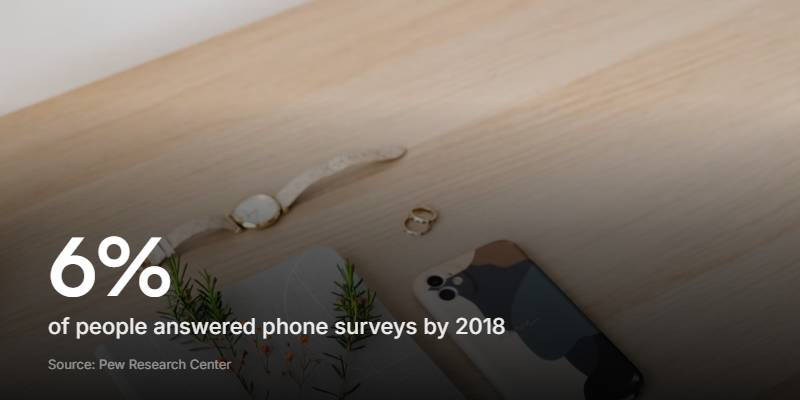
The context matters too. Response rates have been sliding for years, and 2026 made it worse. Pew Research Center tracked telephone survey response rates falling to just 6% by 2018. Online forms aren't much healthier: the average completion rate sits at 21.5%, according to Typeform's analysis of over 2.6 million forms.
This guide covers what counts as a good response rate, why yours might be low, and the specific changes that get more people to finish.
What counts as a good survey response rate?
There's no single good number. It depends on how you're asking and who you're asking.
A short, well-timed survey to an audience that already knows you can clear 40%. Typeform's average completion rate for its one-question-at-a-time forms is 47.3%. A cold email blast to a big, unengaged list often lands in the single digits, the same territory Pew found for phone surveys.
So the useful question isn't "what's the industry average?" It's "is my rate going up or down?"
| How you're asking | What the rate tends to look like |
|---|---|
| Phone survey, cold | Collapsed to around 6% by 2018 (Pew) |
| Emailed link to a broad list | Low - a thin slice of a big list |
| Online form, across the board | 21.5% average completion (Typeform, 2.6M forms) |
| Short, engaging form to an engaged audience | More than double the average (Typeform: 47.3%) |
Grade yourself against your own trend, not a generic benchmark. A rate that climbs month over month tells you more than any published average, because it's measured on your audience and your questions.
Why survey response rates keep falling
Two things are happening at once: people are asked far too often, and the format got worse for them while getting easier for spammers.
The volume problem has been building for years. Now AI has poured fuel on it. Anyone can generate a 40-question survey in seconds and blast it to a list, so inboxes are fuller than ever. We dig into that in the survey fatigue guide.
AI also fills surveys in now. Bots and large language models can complete an open-text survey that reads perfectly human, usually to farm an incentive. Teams that spot the junk respond by adding more screening questions and more follow-ups, which tires out the real respondents even faster.
So the old advice - "just write better questions" - doesn't go far enough anymore. The format and the experience have to carry more of the weight.
Keep the survey short
Length is the single biggest lever you have. Every extra question raises the cost of finishing, and people quit when the cost gets too high.
Before you add a question, ask what you'd actually do differently based on the answer. If nothing changes, cut it. Most feedback surveys work better at five questions or fewer.
A good test: could someone finish your survey at a bus stop before their bus arrives? If not, it's too long.
Ask one question at a time
Showing one question per screen, instead of a wall of fields, is the format change with the most evidence behind it. Typeform's one-question-at-a-time forms average a 47.3% completion rate against the 21.5% industry average, from its analysis of over 2.6 million forms.
It works because each screen feels small. One question looks answerable. Thirty questions on one page looks like homework. More on the format in our conversational form guide.
Let people answer by voice or video
A lot of survey fatigue is really typing fatigue. Asking someone to write out a thoughtful paragraph in a cramped text box is a big ask, so most people give you "good, thanks" and move on.
Let them talk instead. A quick voice or video answer is faster for the respondent and gives you richer feedback than a rushed sentence. It's a strong fit for open feedback, testimonials, and user research, where the why matters more than a score.
Rule of thumb: if you just want a number, use a quick text question. If you want to understand the reason behind it, let people talk. Video earns its place when the reason matters more than the rating.
Be honest about the fit, though. A single rating doesn't need video, and sensitive or anonymous surveys can feel exposing on camera, so always give a text option there.
Add images or video to the form
A plain grid of text fields signals "this will be tedious" before anyone answers a thing. A little visual variety keeps people moving.
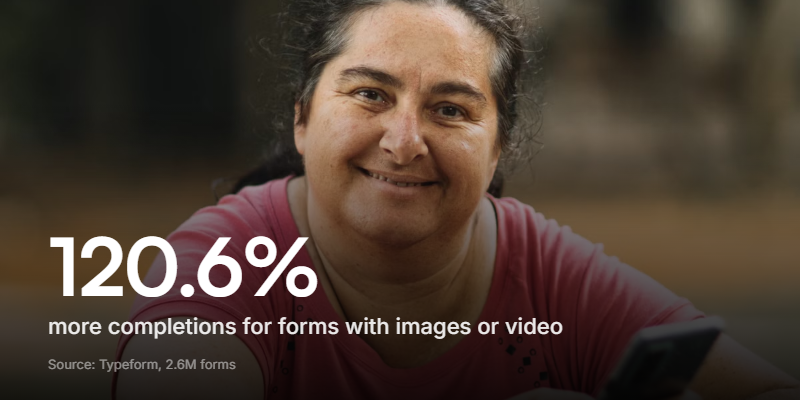
The numbers back it up. The same Typeform report found forms with images or video saw a 120.6% jump in completions over plain ones. You don't need to overdo it - one relevant image or a short intro clip is enough to make the form feel less like paperwork.
Send it at the right moment
Timing is half the battle. A survey that lands while the experience is fresh, and when the person has a spare minute, gets answered. One that arrives mid-task, or three weeks after the thing it asks about, gets ignored.
Send close to the moment that matters, not on a fixed monthly schedule that ignores what the person is doing. A handful of questions asked at the right time beats one long form once a year, which is the whole idea behind a pulse survey.
A few more things that help
The levers above do most of the work. These smaller changes add up on top of them.
- Make it easy on a phone. Most people will open your survey on their phone. If it's fiddly to tap or scroll, they bail. Test it on mobile before you send, not after.
- Personalize the invite. A message that uses someone's name and references what they actually did beats a generic "we value your feedback" blast.
- Send exactly one reminder. A single nudge to people who didn't respond recovers real answers. A third and fourth just wear out your welcome.
- Close the loop. Tell people what the last round of feedback changed. Nothing earns the next response like proof the last one led somewhere.
- Use incentives carefully. A small thank-you can lift responses, but cash rewards attract incentive-farmers, and now bots, who skew your data. Low-value, non-cash tokens are the safer choice.
Common questions about survey response rates
What is a good survey response rate? There's no universal number. A short, well-timed survey to an engaged audience can clear 40% - Typeform's average for one-question forms is 47.3% - while a cold blast to a big list often lands in the single digits, the range Pew found for phone surveys. Judge it against your own trend over time.
What is the average survey response rate? There isn't one figure across all surveys. For online forms, the average completion rate is 21.5%, according to Typeform's analysis of 2.6 million forms. Phone surveys fell to around 6% by 2018 (Pew). Email and in-app surveys land somewhere in between, depending on how warm the audience is.
How do you calculate a survey response rate? Divide the number of completed responses by the number of people you invited, then multiply by 100. Send 500 invitations, get 75 responses, and that's a 15% response rate.
What's the difference between response rate and completion rate? Response rate is measured against everyone you invited. Completion rate is measured against everyone who started the survey. You can have a low response rate but a high completion rate if the few people who start tend to finish.
Do video surveys get more responses? Video-friendly, one-question formats tend to see higher completion. Typeform found forms with images or video completed 120.6% more often than plain ones. A quick rating doesn't need video, but for open feedback it lifts both the response rate and the quality of what you get back.
Get more people to finish your next survey
Response rates are falling, but the reasons are boring and fixable. People are asked too often, in a format that feels like work, and they rarely see it pay off. Shorten the survey, show it one question at a time, let people talk, time it well, and prove the last round mattered.
Clipform is built for the kind of survey people actually finish. Forms run one question at a time, respondents can answer by text, voice, or video recorded straight in the browser, and every audio and video answer is transcribed automatically so you're not stuck rewatching clips. You can describe the survey you want and have it generated for you, then edit the questions.
It won't fix a survey you send too often. But it makes the ones you do send far easier to finish. Give Clipform a try - it's free to build your first one.