Claude doesn't have a built-in form builder. But you can turn it into one: connect a form builder to Claude through MCP, describe the form you want in plain English, and Claude builds it in your account - questions, flow, and all - without you opening a dashboard.
The setup is one line to explain. You add a connector by URL, sign in once, then ask for a form in chat. It comes back as a link you can share in seconds, and you keep refining it in the same conversation.
One thing separates the options, and it's worth knowing up front. Most form builders that connect to Claude hand you the same thing - a page of text boxes. The one this guide uses builds video-first forms from the same prompt, which is the difference between a form people skim and one they finish.
Does Claude have a form builder?
No. Claude can't build forms on its own - it's an assistant, not a form tool. What it can do is connect to a form builder and drive it for you. That connection runs on MCP, the open standard Claude uses to plug into outside apps (here's what MCP is in plain English). Add a form builder's connector and "Claude form builder" stops being a product you buy. It becomes something you set up in about a minute.
How to build a form in Claude
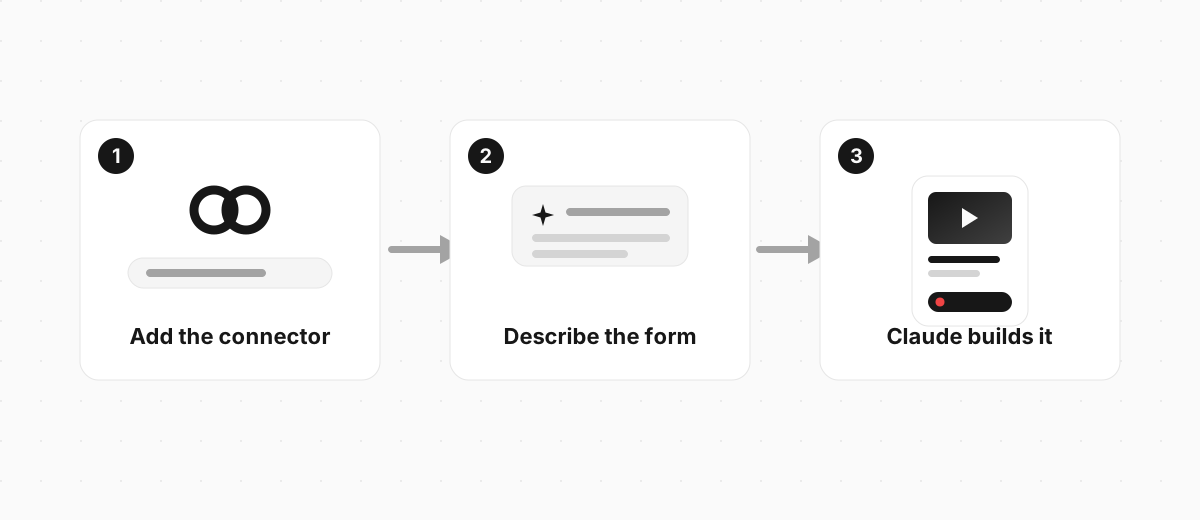
Three steps, and none of them involve a form editor. Clipform is a video-first form builder with a connector you add to Claude by URL:
https://mcp.clipform.io
- Add the connector. In Claude, add a custom connector and paste the URL above. Sign in to Clipform once to authorise it. There's a full walkthrough with screenshots if you want one.
- Describe the form. Tell Claude what you want in a sentence.
- Refine in the same chat. Ask for changes and each message updates the form in place.
Here's the kind of prompt that works:
Create a customer feedback form with a short video intro, a multiple choice question about what they bought, and an open question asking what we could do better. Finish with a thank-you screen.
Claude reads that, calls the connector, and builds the whole form in your account. You get a link back to try in seconds, then keep going in plain English: "add narration to each question", "use a dark theme", "make question two multiple choice". Each message updates the form.
Here's the kind of form that comes out. This is a real Clipform, the same shape Claude builds when you ask:
Try a form built in Claude
A short feedback form with a video question, built on Clipform.
Give it a go - your answers won't be stored.
Copy this templateTry a form built in Claude
A short feedback form with a video question, built on Clipform.
Give it a go - your answers won't be stored.
Which form builders work with Claude?
Several do, and they all connect the same way - through an MCP connector you add by URL. The real difference isn't the setup, it's what kind of form each one builds.
| Builder | What it builds in Claude |
|---|---|
| Jotform | Standard text forms and surveys |
| FormHug | Text forms with a shareable link |
| Google Forms (via a skill) | Text-based Google Forms |
| Clipform | Video-first forms - questions can play as video or voiceover, and people answer on camera |
Most of them build the same thing: a page of text boxes. That's fine for collecting an email. It's the wrong tool when you actually want people to say something, which is the part the next two sections are about.
What is an MCP form builder?
An MCP form builder is a form tool you connect to Claude, or any AI assistant, through MCP - the open standard for AI connections. "Claude form builder" and "MCP form builder" describe the same thing from two angles: MCP is the plumbing, Claude is the assistant using it.
Because MCP is an open standard, adopted by ChatGPT and others too, a form builder that connects to Claude by URL usually works the same way in other assistants. Connect it once and use it wherever you chat. Our full MCP form builder guide covers which builders exist, how they compare, and how to set one up in any assistant. If you're setting one up for the first time, our guide to Claude connectors walks through adding one step by step.
The forms Claude builds don't have to be text boxes
This is the part that decides whether the form works. Every builder above generates a form from one sentence. Only some let that form be more than a wall of text.

Typeform's Data On Data report analysed 2.6 million forms and 568 million submissions. Forms that included images or video saw a 120.6% increase in completion rates over forms that didn't. So a video-first form isn't a nicer experience you trade speed for. You keep the one-sentence build, and more people finish.
With Clipform, any question Claude builds can play as a recorded clip or an AI voiceover, and people can answer with video, audio, or text. Answers come back transcribed automatically, so you skim the text and click into the clip when something's worth watching. Same prompt, a very different form at the end. If you want the wider picture, our guide to building a form with AI covers the other routes too.
FAQ
Is there a free Claude form builder?
Yes. Clipform's connector adds to Claude and builds forms on a free tier. You need a Claude account and a Clipform sign-in, and nothing else to get your first form.
Do I need to code to build forms in Claude?
No. You add a connector by URL and type what you want in plain English. Building an MCP connector takes development skills, but using one that already exists takes a URL and a sign-in.
Can I build the same form in ChatGPT?
Yes. The connector runs on MCP, an open standard ChatGPT supports too, so the same form builder works in both. You add it once and it travels with you.
Does Claude store my form responses?
No. The form and its responses live in the form builder you connected - Clipform, in this case - not in Claude. Claude builds the form and hands back a link. The answers come back to your Clipform account.
Turn Claude into your form builder
A Claude form builder isn't a product you buy - it's a two-minute setup. Add a form builder to Claude, describe what you need, and you have something to share before you'd have finished the first question by hand.
The one choice that matters is which builder you point it at. Clipform adds to Claude by URL and builds video-first forms from a prompt on a free tier, so the form Claude hands back is one people actually finish. Add it to Claude and ask for your first form.