Claude MCP is Claude's support for the Model Context Protocol, an open standard that lets Claude connect to your apps, read your data, and take real actions in them. With MCP, you can point Claude at a tool, describe what you want in plain language, and Claude does the work in that tool instead of just telling you how.
You don't build anything or write code to benefit from it. If you've ever added a connector in Claude so it could search your Gmail or add a page to Notion, you've already used MCP. It's the standard running quietly underneath.
This guide keeps it jargon-free: what MCP is, how it's different from a connector, why it went from a niche idea to an industry standard in under two years, and how to start using it. Then a real example, building a working form just by asking.
What is MCP, exactly?
MCP stands for Model Context Protocol. Anthropic describes it as "an open standard that enables developers to build secure, two-way connections between their data sources and AI-powered tools". In plain terms, it's a shared language that lets an AI assistant and an outside app talk to each other.
The official docs use a good analogy: MCP is "like a USB-C port for AI applications". One standard plug. Before USB-C, every device had its own cable. MCP does the same job for AI, so an app builds one connection and any MCP-aware assistant can use it.
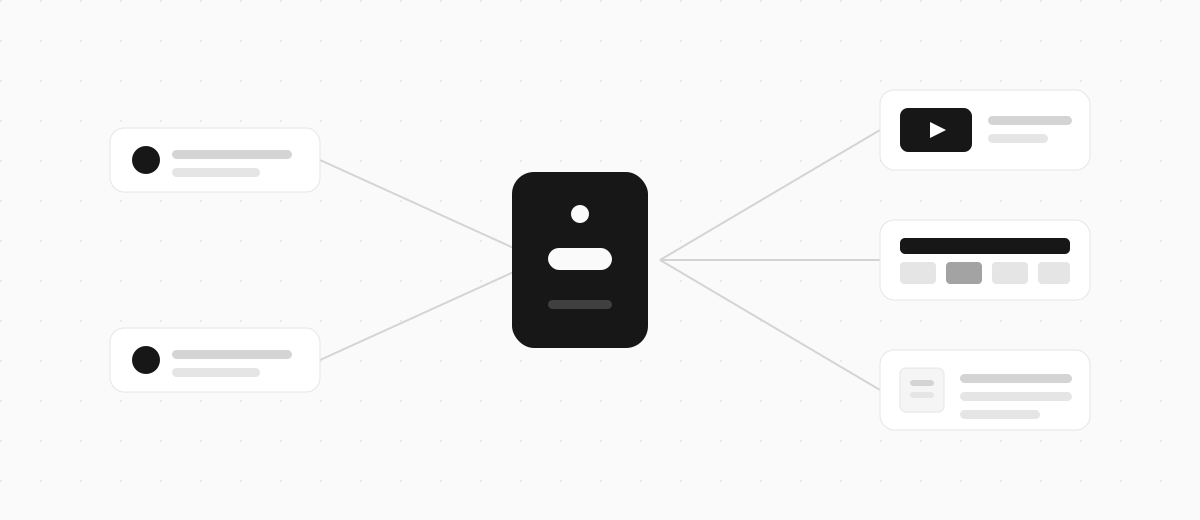
There are two halves to it. An MCP server is the bit an app runs to expose its data and actions. An MCP client is the AI side that connects to those servers, like Claude. You never touch the server yourself. You just turn on the connection and start asking.
Anthropic built MCP and open-sourced it on 25 November 2024, which turned out to matter a lot, as we'll get to.
MCP vs a connector: what's the difference?
A connector is a single app connection. MCP is the standard that connector is built on. You interact with connectors; MCP is the plumbing you never see.
Think of it the way you think about the web. You use websites every day and rarely think about HTTP, the protocol underneath them. MCP is the HTTP of AI tool connections, and a connector is one site you visit.
If you're setting up a specific app in Claude, you want a connector (or a Desktop Extension). MCP is the reason those connectors exist and work the same way across different AI tools. Our guide to Claude connectors walks through adding one step by step.
So when a tool says it "has an MCP server," read it as "you can add this tool to Claude as a connector." Same idea, said two ways.
Why MCP suddenly matters
For the first few months, MCP looked like a Claude-only thing. That changed fast, and it's the biggest reason the term is worth knowing now.
OpenAI adopted MCP in March 2025 and built support into ChatGPT. Google DeepMind followed in April 2025. The official MCP docs now list Claude and ChatGPT alongside tools like VS Code and Cursor as clients that all speak the same protocol.
Then the governance moved too. In December 2025, Anthropic donated MCP to the Agentic AI Foundation under the Linux Foundation, with OpenAI and Block as co-founders. That took it out of any single company's hands and made it a shared, vendor-neutral standard.
Why this matters to you: an app that builds one MCP server now works across Claude, ChatGPT, and a growing list of others. You're not betting on one assistant. Connect a tool once and it travels with you.
What can you do with Claude MCP?
The point of MCP is doing things, not just looking them up. Once a tool is connected, Claude can act inside it using only the access you already have. A few of the jobs people hand it:
- Email - search your inbox, summarise a long thread, draft a reply for you to send
- Notes and docs - pull the right file into the chat, create a page, cross-reference notes
- Calendars - check your week, find a free slot, add an event
- Forms - build a working form from a sentence, no builder to open (more on this below)
The official docs give bigger examples too, from generating a web app off a Figma design to connecting an enterprise chatbot to multiple databases. The pattern is always the same. You describe an outcome, and Claude uses the connected tool to make it happen.
One habit is worth building in early: be specific. "Make a quiz" gets a vague result. "Make a 5-question quiz about space with multiple choice answers and a results screen" gets something you can use.
MCP for forms: build one just by asking
Here's where it gets concrete, because forms are one of the clearest payoffs. Clipform is a video-first form builder with an MCP server you add to Claude by URL. Turn it on, describe the form you want, and Claude builds it in your account, questions and flow and all.
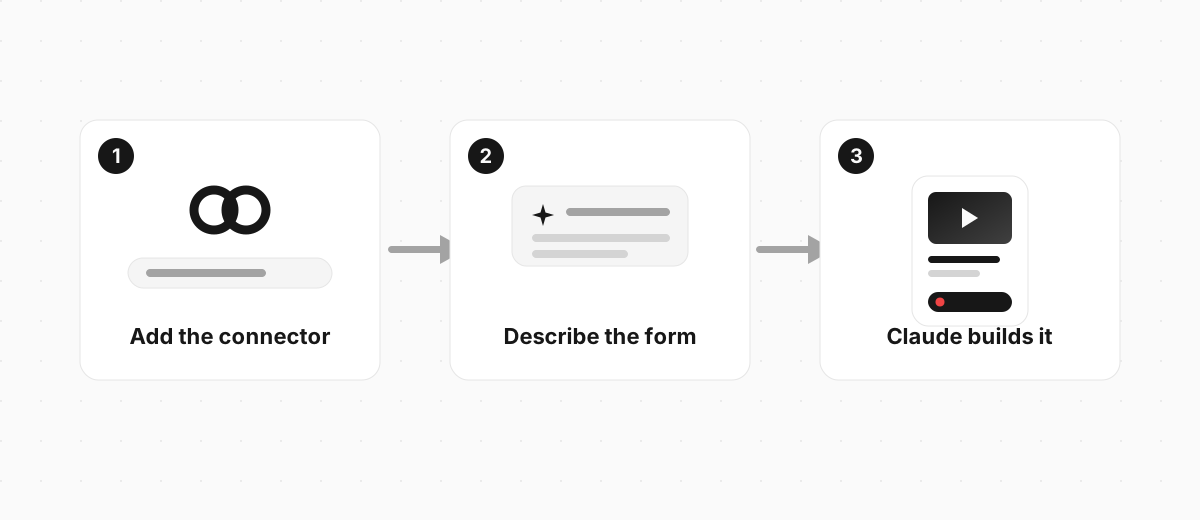
The connector URL is:
https://mcp.clipform.io
Add that in Claude, sign in to Clipform, and you're connected. There's a full walkthrough in the Clipform docs if you want the screenshots. Then you just ask:
Create a customer feedback form with a short video intro, a multiple choice question about what they bought, and an open question asking what we could do better. Finish with a thank-you screen.
Claude reads that, calls the connector, and builds the whole thing. You get a link back to try in seconds, and you can keep refining in the same chat: "add narration to each question", "use a dark theme", "make question two multiple choice instead". Each message updates the form in place.
Here's the kind of form that comes out. This is a real Clipform, the same shape Claude builds when you ask:
Try a form built the MCP way
A short feedback form with a video question, built on Clipform.
Give it a go - your answers won't be stored.
Copy this templateTry a form built the MCP way
A short feedback form with a video question, built on Clipform.
Give it a go - your answers won't be stored.
If the AI-building side is what you're curious about, our guide to the AI form builder digs into what that looks like when the form itself is the thing you're making.
How to start using MCP with Claude
You don't need to understand the protocol to use it. There are three routes, easiest first:
| Route | Best for | What you do |
|---|---|---|
| Directory connectors | Popular apps | Browse Anthropic's connector directory, click connect, sign in |
| Custom connectors | Any app with an MCP URL | Settings, Connectors, add custom connector, paste the URL |
| Desktop Extensions | Local tools on your machine | Download the app's extension file and drop it into Settings |
For most people, a custom connector by URL is the one to know. You paste a web address, sign in through the app's normal login, and approve what Claude can access. Claude never sees your password, and you can pull the access back any time.
The Claude connectors guide covers each route in detail, including which Claude plans support what. The short version: custom connectors work across Free, Pro, and Max, with free accounts limited to one.
FAQ
Do I need to know how to code to use MCP?
No. Using MCP means adding a connector and typing what you want in plain English. Building an MCP server takes development skills, but connecting to one that already exists takes a URL and a sign-in.
Is Claude MCP safe?
Yes, within limits you control. You approve every connection with a sign-in, and Claude only gets the access you already have in that app, so it can't reach anything you couldn't reach yourself. You can revoke any connection from Claude's settings or the app itself.
Does ChatGPT use MCP too?
Yes. OpenAI adopted MCP in early 2025, so the same standard powers connections in ChatGPT as well as Claude. That's the whole point of an open standard: a tool builds one MCP server and works across both.
What's an MCP server?
It's the piece an app runs so an AI can connect to it. You don't run or manage it. When you add a connector by URL, that URL points to the app's MCP server. Your job is only to turn the connection on.
Where to start with MCP
The fastest way to get why MCP matters is to use it once. Pick a single tool you touch every day, connect it in Claude, and give Claude a real job in it. That first "oh, it actually did the thing" moment is the one that sticks.
Building a form is about as satisfying a starting point as it gets, because you go from a sentence to something you can share in one message. Clipform adds to Claude by URL and builds the whole form for you, video questions and all. Point Claude at it and describe what you need.